
Erupt WebSocket Real-Time Interaction
erupt-websocket provides WebSocket real-time communication capabilities for use cases such as real-time data push, online notifications, and progress feedback. It serves as the underlying transport mechanism for the erupt-notice notification module.
Adding the Dependency
<dependency>
  <groupId>xyz.erupt</groupId>
  <artifactId>erupt-websocket</artifactId>
  <version>${erupt.version}</version>
</dependency>
Real-Time Notification Demo
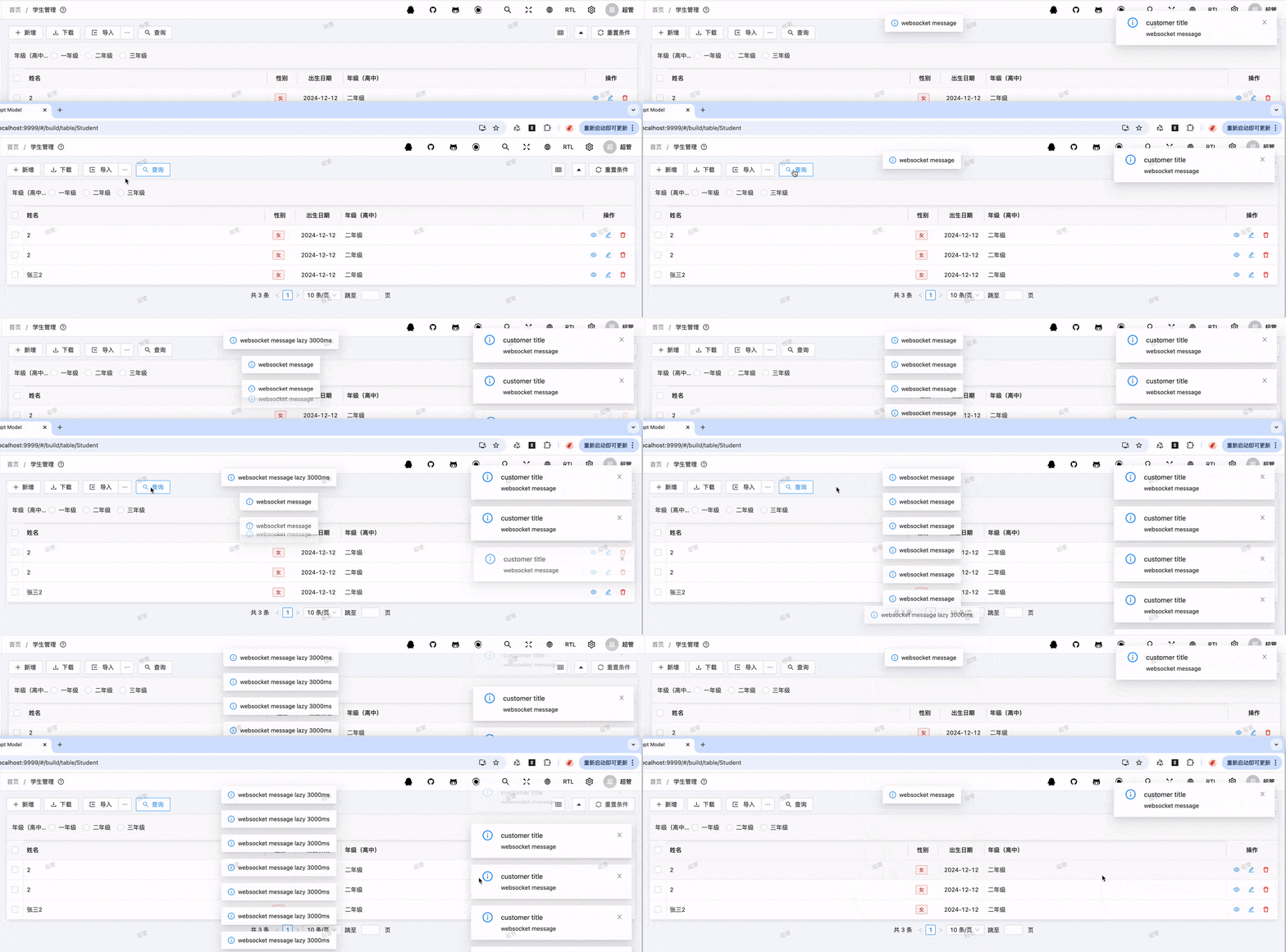
When combined with erupt-notice, erupt-websocket enables real-time in-app message push:
Real-Time Progress Push
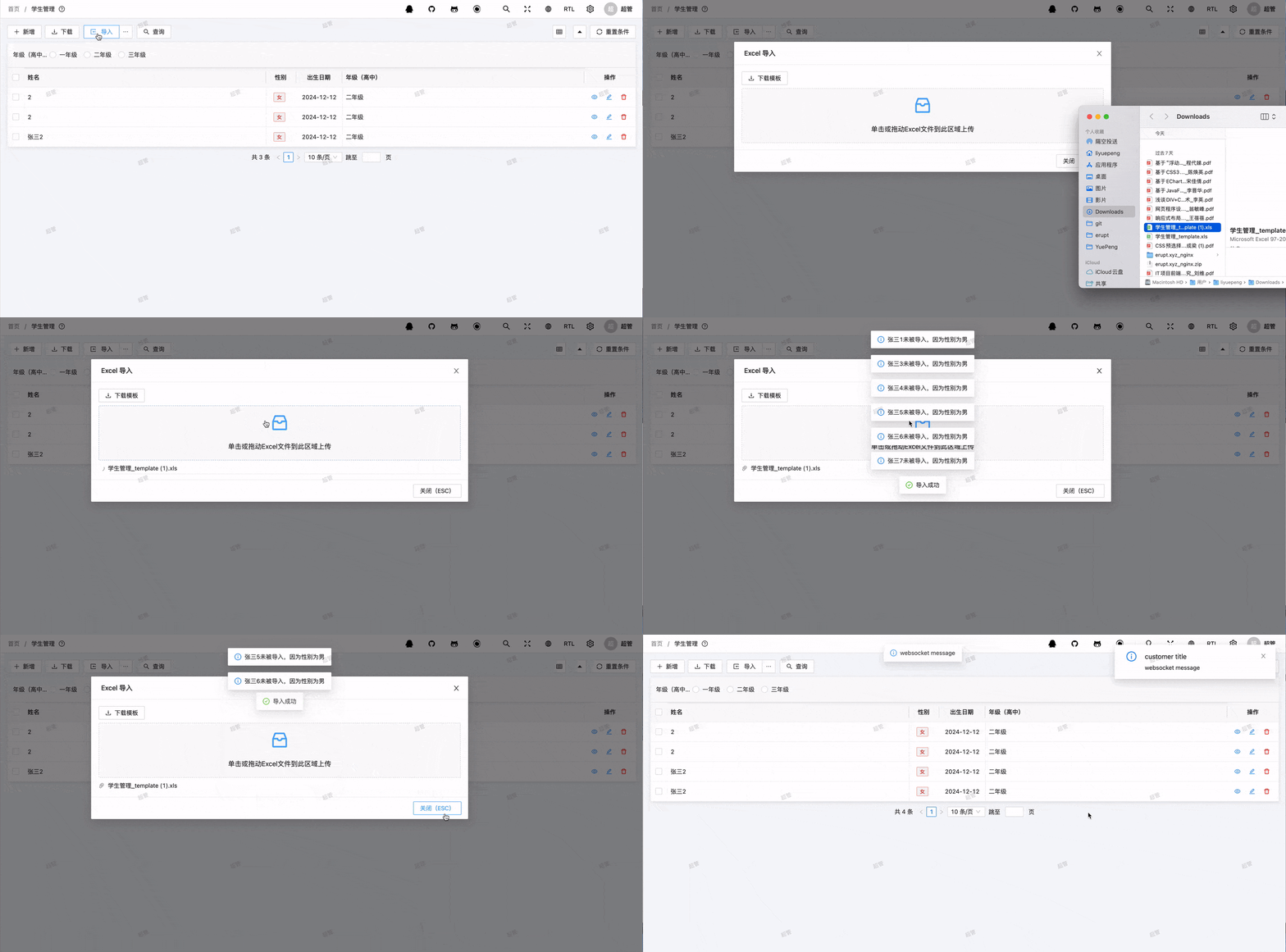
For long-running operations (such as Excel imports or batch processing), progress information can be pushed to the frontend in real time via WebSocket:
Use Cases
- erupt-notice: Underlying transport mechanism for the notification module
- Progress Feedback: Real-time progress display for Excel batch imports and time-consuming tasks
- Real-Time Data Push: Monitoring data, streaming log output
- Operation Result Feedback: Real-time frontend notification after an async operation completes
Using WebSocket in DataProxy
From version 1.12.17+, you can send WebSocket messages to the current operating user from within a DataProxy:
import xyz.erupt.webscoket.service.EruptWebSocketService;

@Service
public class MyDataProxy implements DataProxy<MyEntity> {

    @Resource
    private EruptWebSocketService eruptWebSocketService;

    @Override
    public void afterAdd(MyEntity entity) {
        // Push a message toast to the current user
        eruptWebSocketService.sendJsMessage("Operation successful, data has been processed");
        // Or push a notification (title + content)
        eruptWebSocketService.sendJsNotify("Done", "Data has been processed");
    }
}
Commonly used EruptWebSocketService methods:
| Method | Description |
|---|---|
sendJsMessage(String message) | Push a message toast to the current user |
sendJsNotify(String title, String message) | Push a notification to the current user |
send(SocketCommand command, T data) | Send a custom command and payload to the current user's session |
send(EruptWsSessionModel session, SocketCommand command, T data) | Send a custom command and payload to a specific session |
getCurrentSession() / getAllSession() | Get the current user's session / all online sessions |
Package name
The class lives in the xyz.erupt.webscoket.service package (a historical spelling — not websocket), so be careful when writing the import.
Frontend Capability Extension
After pushing a message via WebSocket, you can pair it with the Message & Dialog Components on the frontend to create richer interactions, such as pop-up notifications, progress bars, and confirmation dialogs.
Contributors
 YuePeng
 Claude Opus 5 (1M context)