
Domain & Tenant Customization
INFO
Supported in 1.12.17 and above
Each tenant can bind an independent domain and configure its own logo, CSS, and JS — one system presenting a completely different brand per tenant, ideal for white-label delivery.
Demo
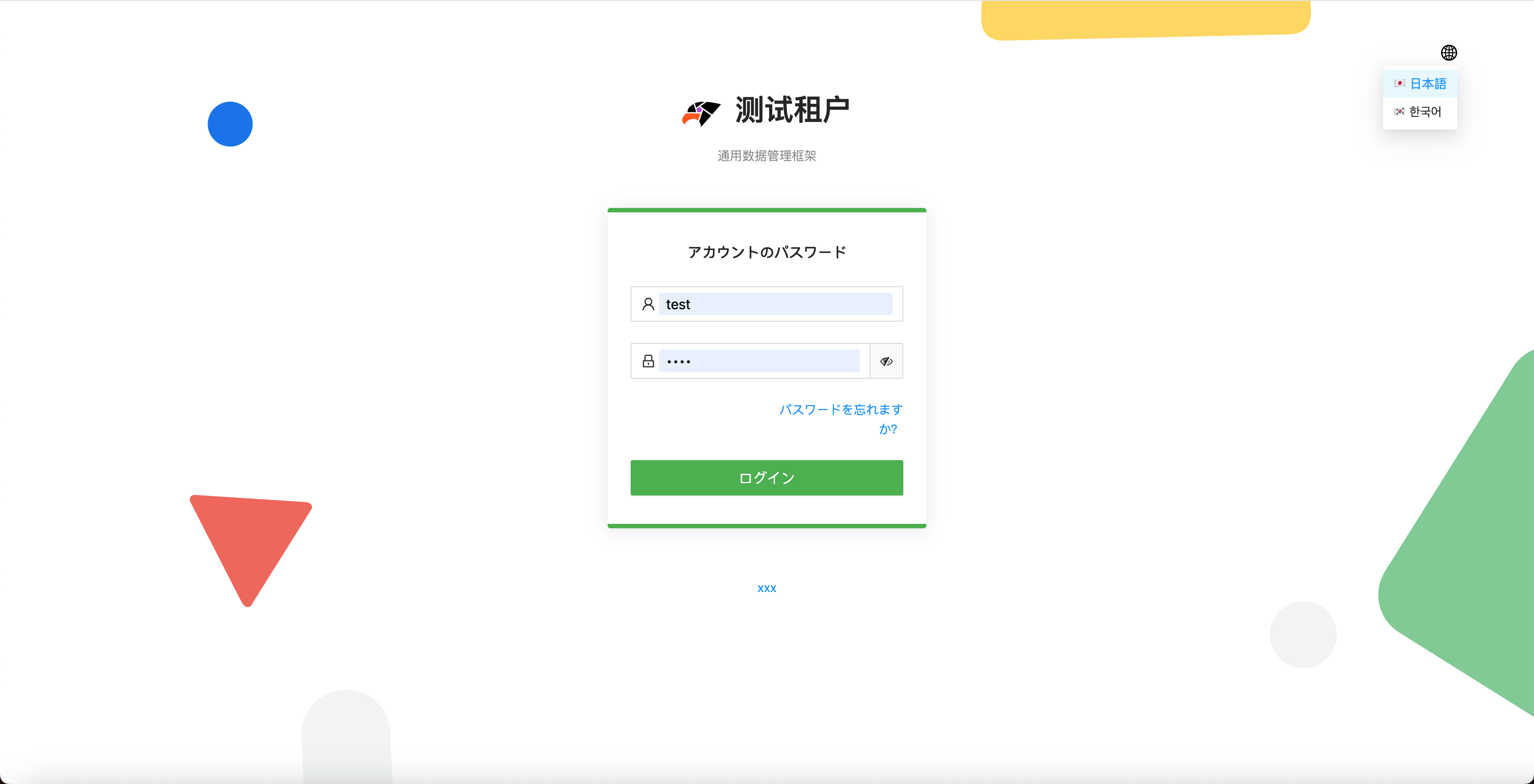
Once a tenant domain is configured, tenants can enter the system without typing an enterprise ID, with support for custom copyright, custom i18n languages, and more:
Usage
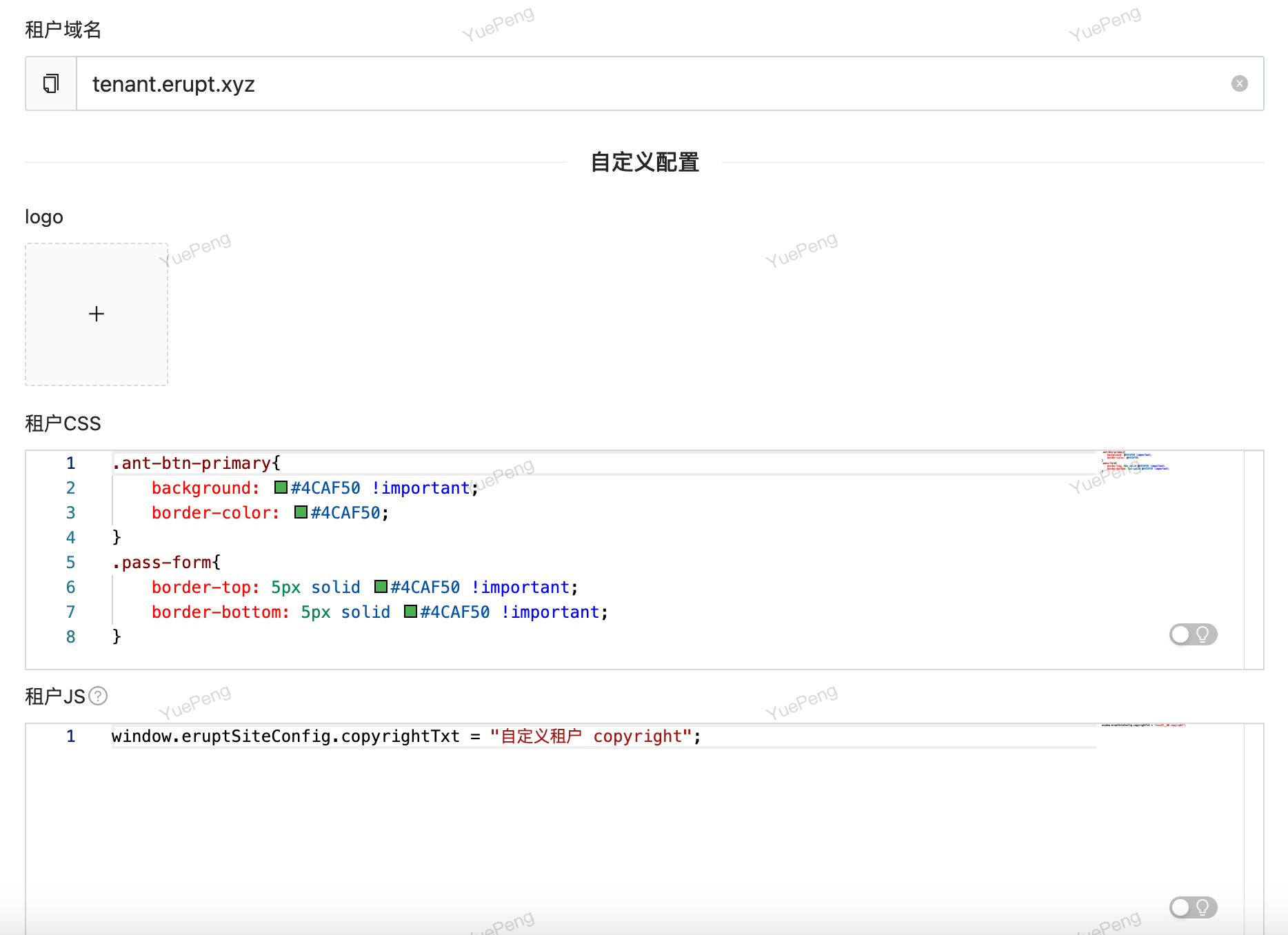
After entering a tenant domain in Tenant Config, the following options appear (no protocol or port required in the domain):
How it works
The frontend calls GET /erupt-api/tenant/domain-info?host=xxx with the current host. When a tenant domain matches, the API returns that tenant's enterprise ID, name, logo, JS, and CSS, which are applied automatically (backed by an LRU cache) — so the login page no longer asks for an enterprise ID.
TIP
During local development, domain control is easy to test with localhost: if your address is localhost:8080, try abc.localhost:8080 or any second/third-level domain prefix — all point to the current erupt application.
Tenant-specific CSS / JS
When accessed via the tenant domain, the Tenant CSS in Tenant Config is injected as page styles, and the Tenant JS runs on page load and can override configuration in app.js, enabling per-tenant theming and behavior.
Tenant JS Variables
Context variables available in tenant JS:
| Variable | Reference | JS Example |
|---|---|---|
| eruptSiteConfig | The eruptSiteConfig node in app.js Frontend configuration | //Set website copyrighteruptSiteConfig.copyrightTxt = "<a>xxx<a>" |
| eruptAppProp | The erupt-app node in application.yml Backend configuration | //Set languageseruptAppProp.locales=["ja-JP","ko-KR"]//Disable watermarkeruptAppProp.waterMark = false |
Contributors
 YuePeng
 Claude Fable 5.1