
Erupt Terminal
erupt-terminal uses WebSocket + PTY technology to bridge a server shell directly to the browser. No SSH client is needed — you can operate the server terminal from within the admin interface.
Security Notice
The Terminal module can execute arbitrary shell commands, with permissions equivalent to the system user running the Java process. Only grant access to trusted administrators. Always enable HTTPS/WSS encryption in production environments.
Adding the Dependency
<dependency>
  <groupId>xyz.erupt</groupId>
  <artifactId>erupt-terminal</artifactId>
  <version>${erupt.version}</version>
</dependency>
Minimum version required: 1.14.3
No additional configuration is needed after adding the dependency. The module is activated via Spring Boot auto-configuration, and a Terminal menu entry (icon fa fa-terminal) will automatically appear in the admin sidebar.
Features
| Feature | Description |
|---|---|
| Browser Terminal | Based on xterm.js; supports full-color rendering, cursor styles, and scroll history |
| Multiple Tabs | Multiple independent terminal sessions can be open simultaneously (Alt+T to create new) |
| Adaptive Size | PTY rows/columns are automatically synced when the window is resized |
| Cross-Platform | Unix/Linux uses $SHELL or /bin/bash; Windows uses cmd.exe |
| Idle Timeout | Automatically disconnects after 30 minutes of inactivity to free server resources |
| Permission Control | Integrates with erupt-upms; uses dual verification via Token + menu permissions |
| Auto-Reconnect | Automatically retries on network interruption, up to 8 times with exponential backoff |
Preview
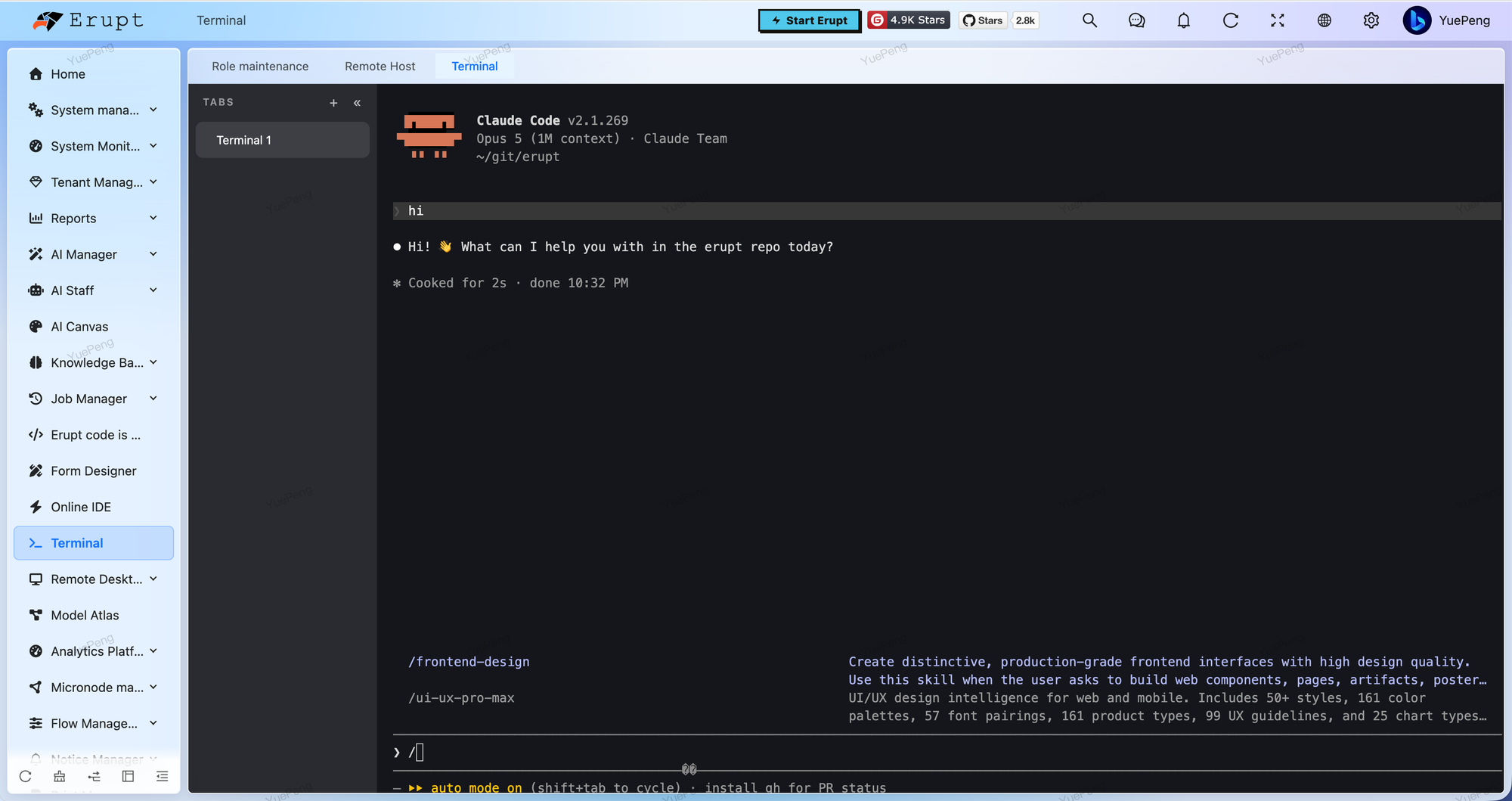
Upon successful connection, the terminal displays a banner with the current hostname, operating system and Java version, then drops into an interactive shell. The TABS panel on the left keeps several sessions side by side:
───────────────────────────────────────
  Erupt Terminal  v1.14.3
  Host : my-server
  OS   : Linux 5.15.0  amd64
  Java : 17.0.9
───────────────────────────────────────
[root@my-server ~]$
How This Differs from erupt-remote
Both modules put a terminal in the browser, but not on the same machine:
| erupt-terminal | erupt-remote | |
|---|---|---|
| Target | The host running erupt itself — fixed, not selectable | Other managed machines, kept as records in the Remote Host table |
| Transport | A local PTY: it forks a shell process | Network protocols: SSH (jsch) or VNC (RFB) |
| Capability | Shell terminal | Shell terminal plus a graphical desktop |
| Identity | The system user running the Java process — no credentials to enter | Per-host account / password / private key, stored AES-GCM encrypted |
| Sessions | Multiple tabs, disconnected after 30 idle minutes | One-time ticket + global concurrency cap + idle reaping |
| Permission | The terminal menu permission | The RemoteHost menu permission (checked on the ticket API and again on the WebSocket) |
| WebSocket path | /erupt-terminal | /erupt-remote |
| Target preparation | None | SSH uses the system's sshd; VNC needs a VNC server on the target |
In short: use erupt-terminal to operate the machine erupt itself runs on; use erupt-remote to manage a fleet of servers, or when you need a graphical desktop. Neither depends on the other, and both can be installed together.
Permission Configuration
The module uses erupt-upms for access control. Access requires both:
- Valid Token — the request must carry the current logged-in user's erupt-token
- Menu Permission — the user's role must be bound to the
terminalmenu
Assign the Terminal menu to the relevant roles in Role Management to control who has access.
Contributors
 YuePeng
 Claude Opus 5 (1M context)