
Menu Pages
Mounting a template file as an admin menu takes two steps: put the file under resources/tpl/, then create a menu entry in menu management that points at it.
Menu Configuration
In Menu Management, add a new menu entry, set the type to Custom Page, and fill in the template filename (without the path prefix) as the type value:
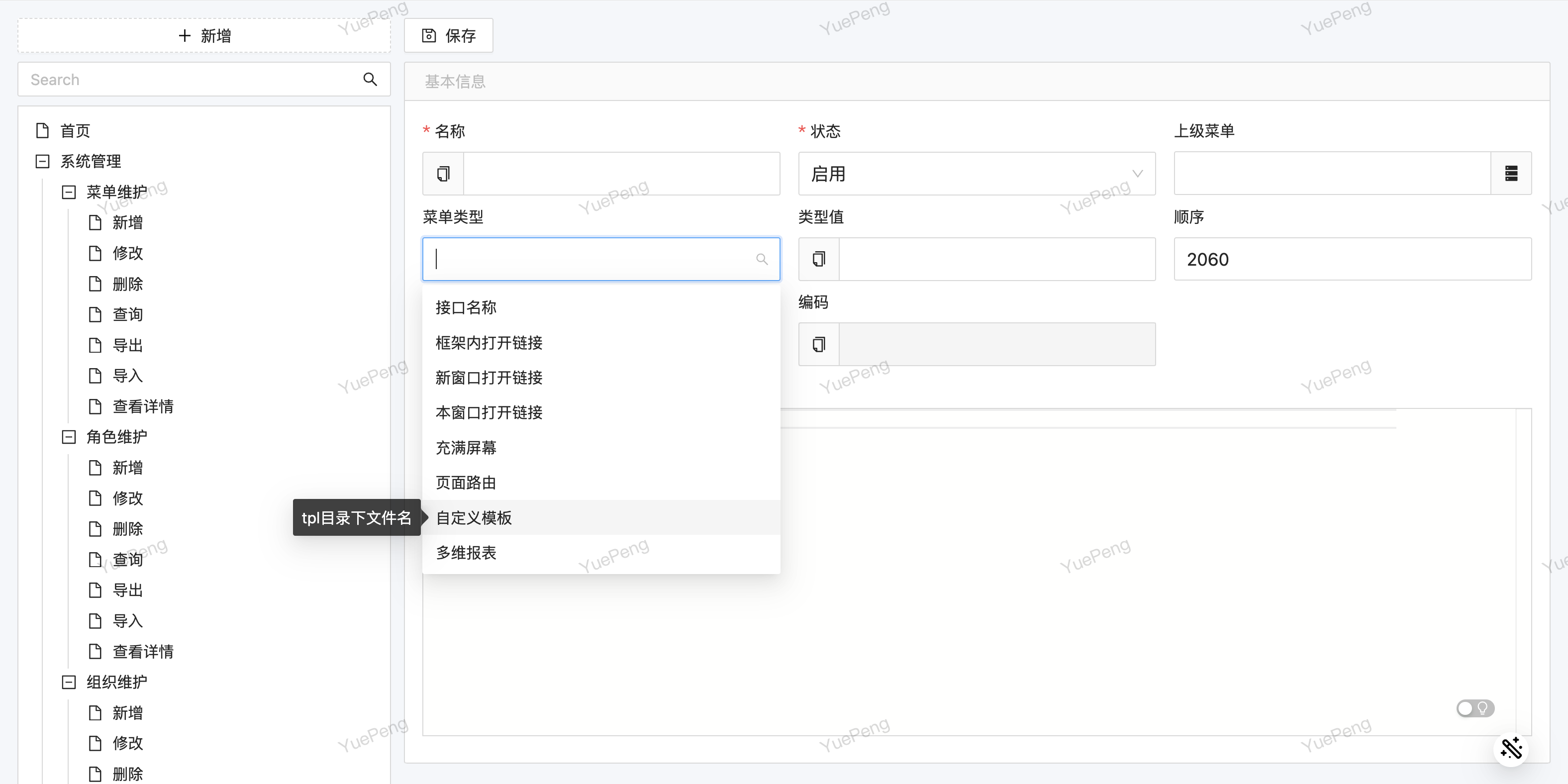
The type value doubles as the menu's permission identifier: when the backend receives a request for /erupt-api/tpl/<filename>, it looks for an exact (case-insensitive) match against the current user's menus and returns 403 if none is found. To expose the same template to different roles, assign the menu to those roles; no permission checks are needed inside the template.
Two Ways to Embed
Once erupt-tpl is on the classpath, two extra entries appear under Menu Type. Both point at the same pool of template files; they differ only in how the frontend brings the page in:
| Menu type | Type value | Frontend implementation | Frontend route |
|---|---|---|---|
| Custom Page (Iframe) | tpl | Native iframe | /tpl/<filename> |
| Custom Page (Micro Frontend) | mtpl | Micro-frontend container | /mtpl/<filename> |
For tpl and mtpl the type value is a file name under the tpl directory — no path prefix, no absolute path; the backend resolves it to /tpl/<filename> on the classpath. Subdirectories are allowed, for example report/sales.html; the frontend router accepts up to five segments.
Never put a URL in mtpl
The type value of tpl / mtpl becomes a route segment, so the slashes in a URL get chopped up by the router and you land on something like #/tpl/https:. To embed an external system use the built-in upms Link or Micro-frontend Link menu types (see Menu Management), which base64-encode the URL before it enters the route.
Never put ?params in the type value
Permission checks use the request path, which excludes the query string. With a type value of demo.html?type=a the backend sees demo.html, finds no menu with that value, and returns 403. To pass fixed parameters to a template, put them on the path attribute of @TplAction, see Template Development.
Which one to pick
If the sub-app is yours, use the micro frontend: height adapts naturally, its dialogs are not clipped by a frame, and switching tabs does not reload it. If the sub-app is not fully trusted, or is an SSR streaming framework, use the iframe. See Micro-Frontend Integration for the full boundaries.
Directory Convention
Templates must live under resources/tpl/. A type value of demo.html is read from classpath:/tpl/demo.html.
src/main/resources/
└── tpl/
    ├── demo.html
    ├── dashboard.ftl
    └── report/
        └── sales.html
A misplaced file shows up as a blank page
A file sitting directly in resources/ will not be found, and the endpoint then returns a fixed <h1 align='center'>404 not found</h1> with HTTP status 200. Nothing shows up in the browser console — the page is simply blank, which makes this hard to diagnose. When you see a blank page, check the file path first.
Static Asset Paths
Prefix CSS and JS references in the template with ${base}. It is replaced with the application's contextPath, so the page keeps working when the app is deployed under a sub-path:
<head>
    <base href="${base}/">
    <link href="ant-design/antd.min.css" rel="stylesheet">
</head>
Plain HTML (the Native engine) performs only this one substitution and parses no other expressions. Under a template engine, base is an ordinary context variable read with that engine's syntax.
Hot Reload
Template files are updated live — no application restart is required. Just refresh the page to see the latest changes:
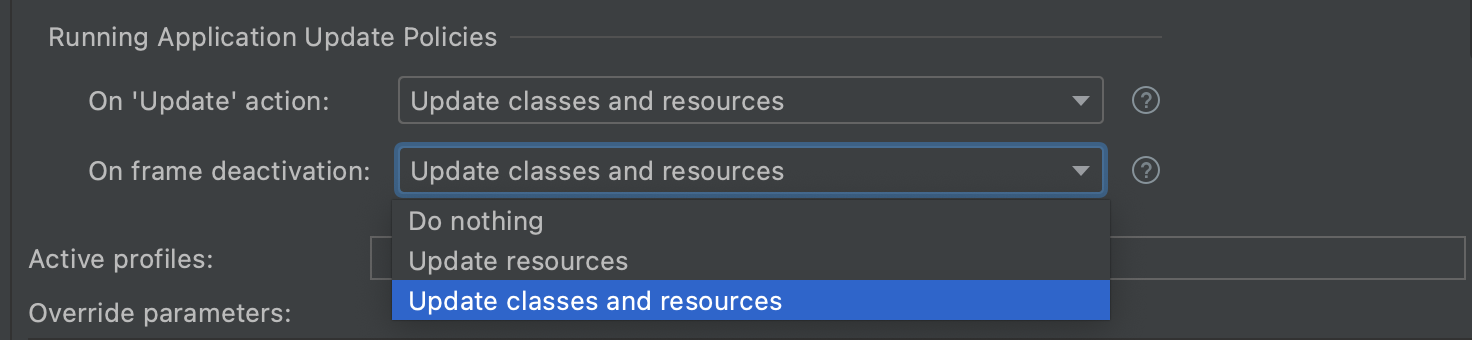
Plain HTML is re-read from the classpath on every request. With a template engine the engine's own caching applies; FreeMarker re-checks the file for changes within a few seconds by default. Your IDE must copy resources changes to the output directory (in IntelliJ, Build Project or enable automatic builds).
Row Button Embedding
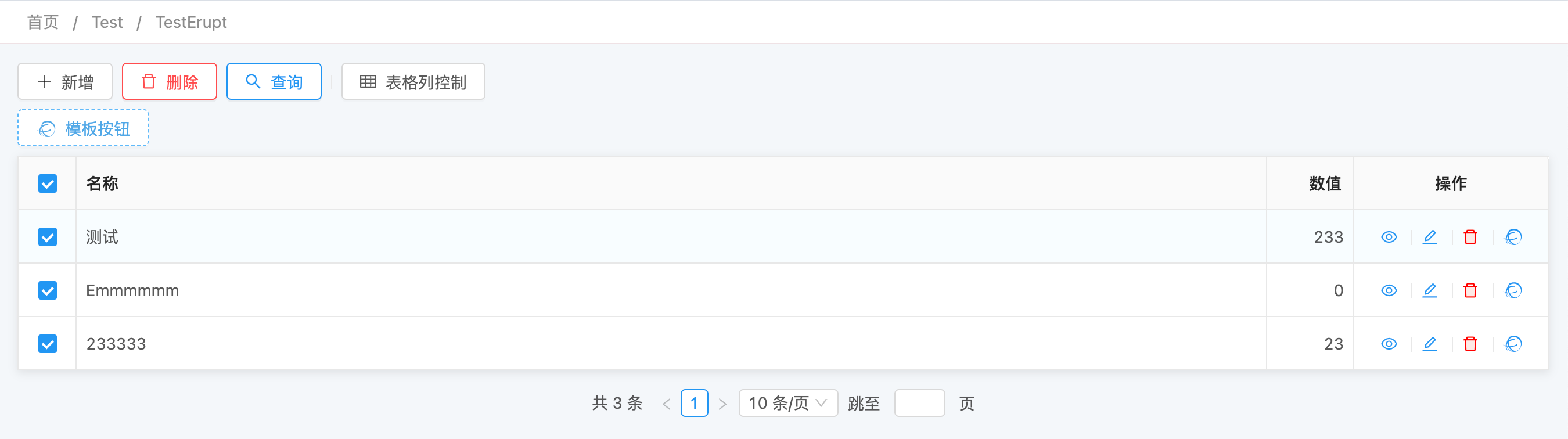
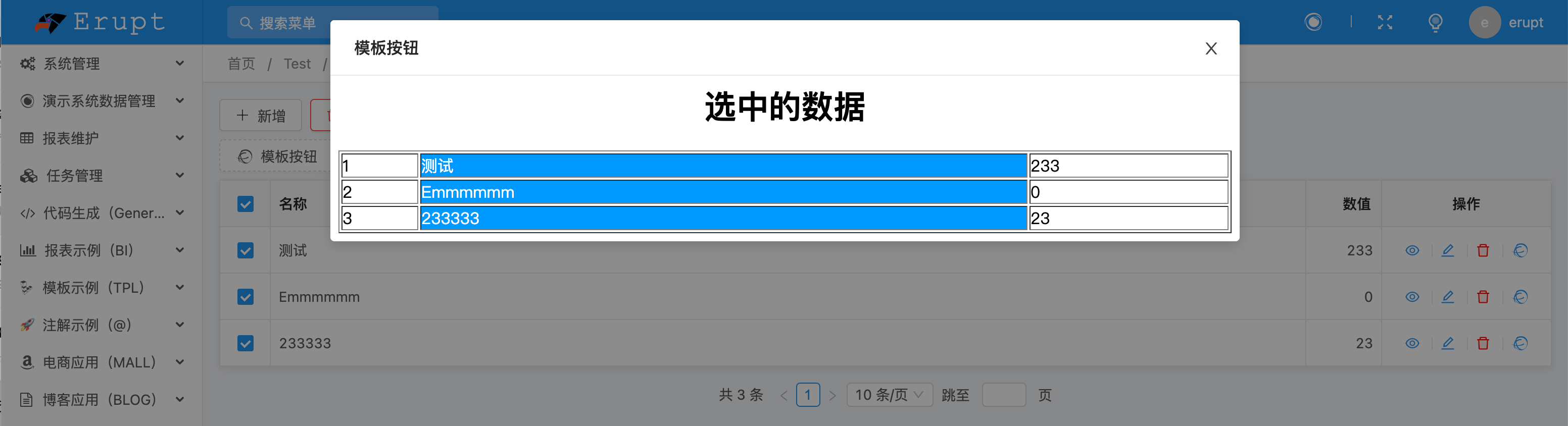
Besides being mounted as a menu, a template can be opened from a row action button via @RowOperation. For full usage details, see TPL Template Dialog.
Contributors
 YuePeng
 Claude Fable 5.1