
Reference Dimensions
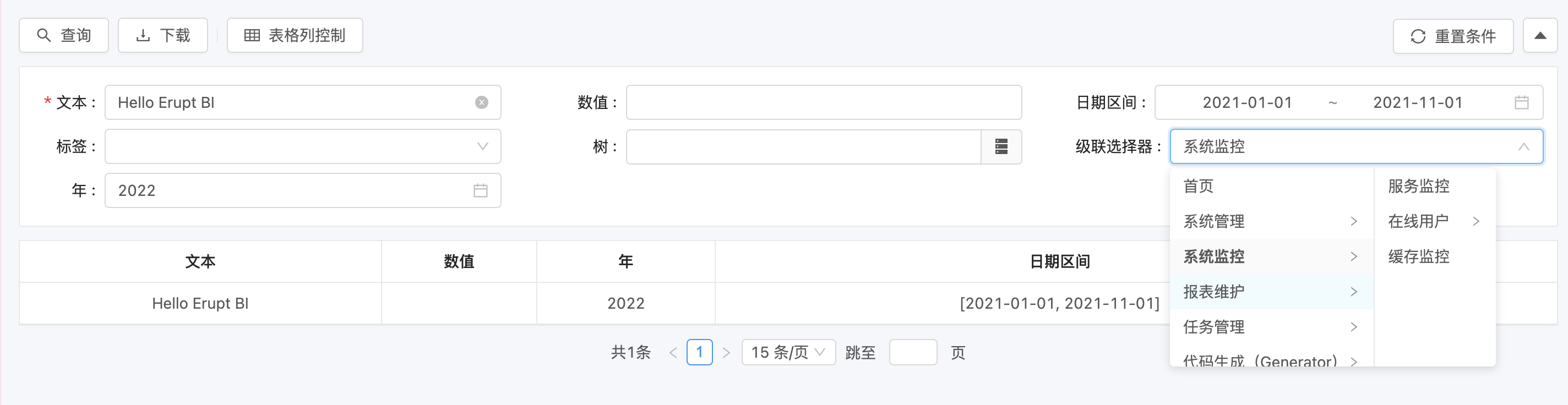
Reports often need dynamic condition lists (dropdowns, tree selectors, cascades). Define them once through reference configuration — the SQL result is turned into a list or a tree.
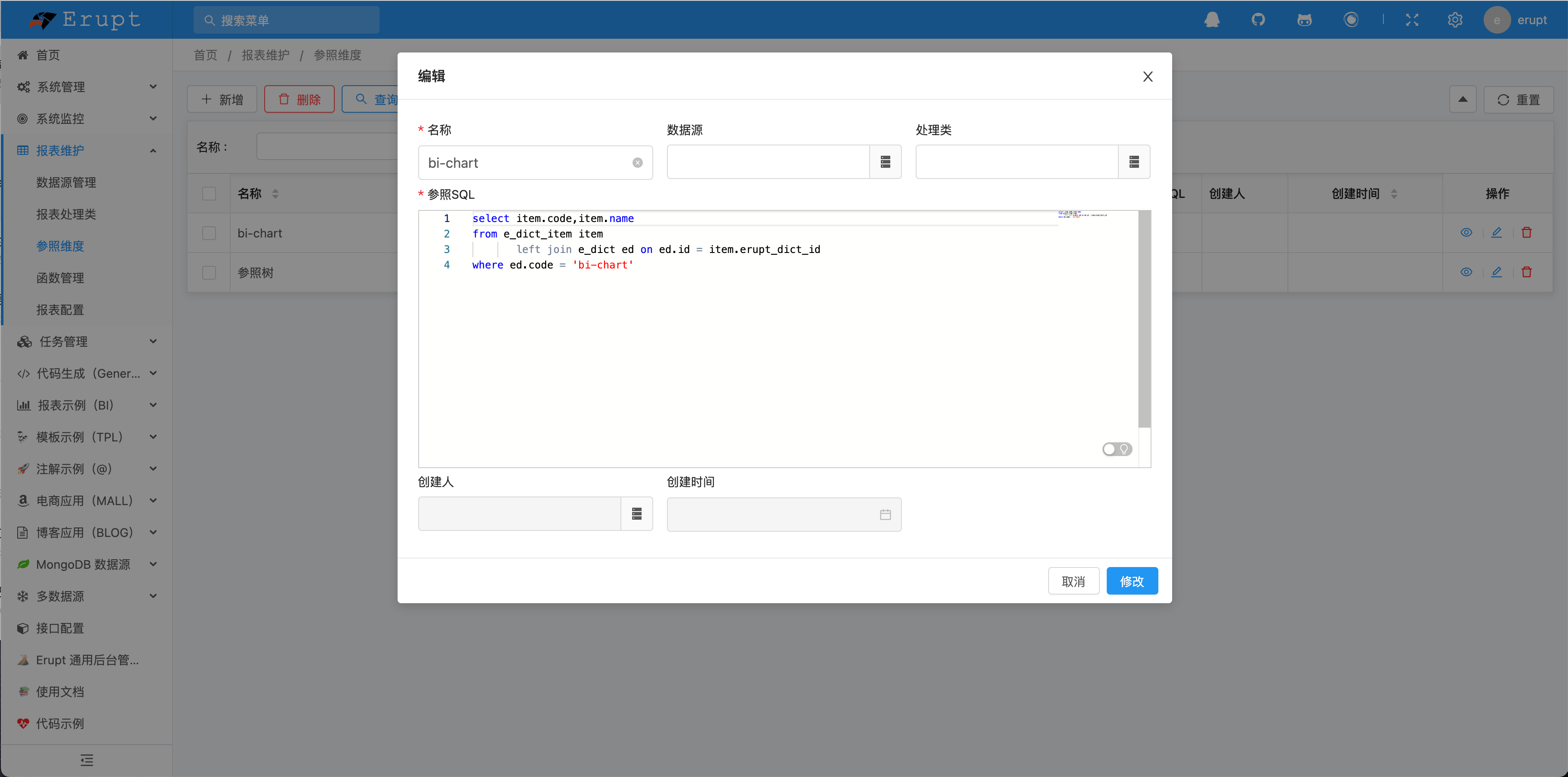
Configuration Options
| Option | Description |
|---|---|
| Name | Reference dimension name |
| Data Source | Where the reference SQL runs; defaults to the default data source |
| Handler | Optionally bind a report handler to process the SQL and result |
| Reference SQL | The query that generates the list or tree |
SQL Column Conventions
Different dimension types expect different columns from the SQL:
| Dimension Type | Columns Returned |
|---|---|
| List references (single, multi, radio, checkbox) | Two columns: query value id / display label |
| Tree references (single tree, multi tree, cascade) | Three columns: query value id / display label / parent pid; empty pid = root |
| Table references (single table, multi table) | 2–N columns: the first is the query value (hidden in the frontend), the rest are displayed |
Usage
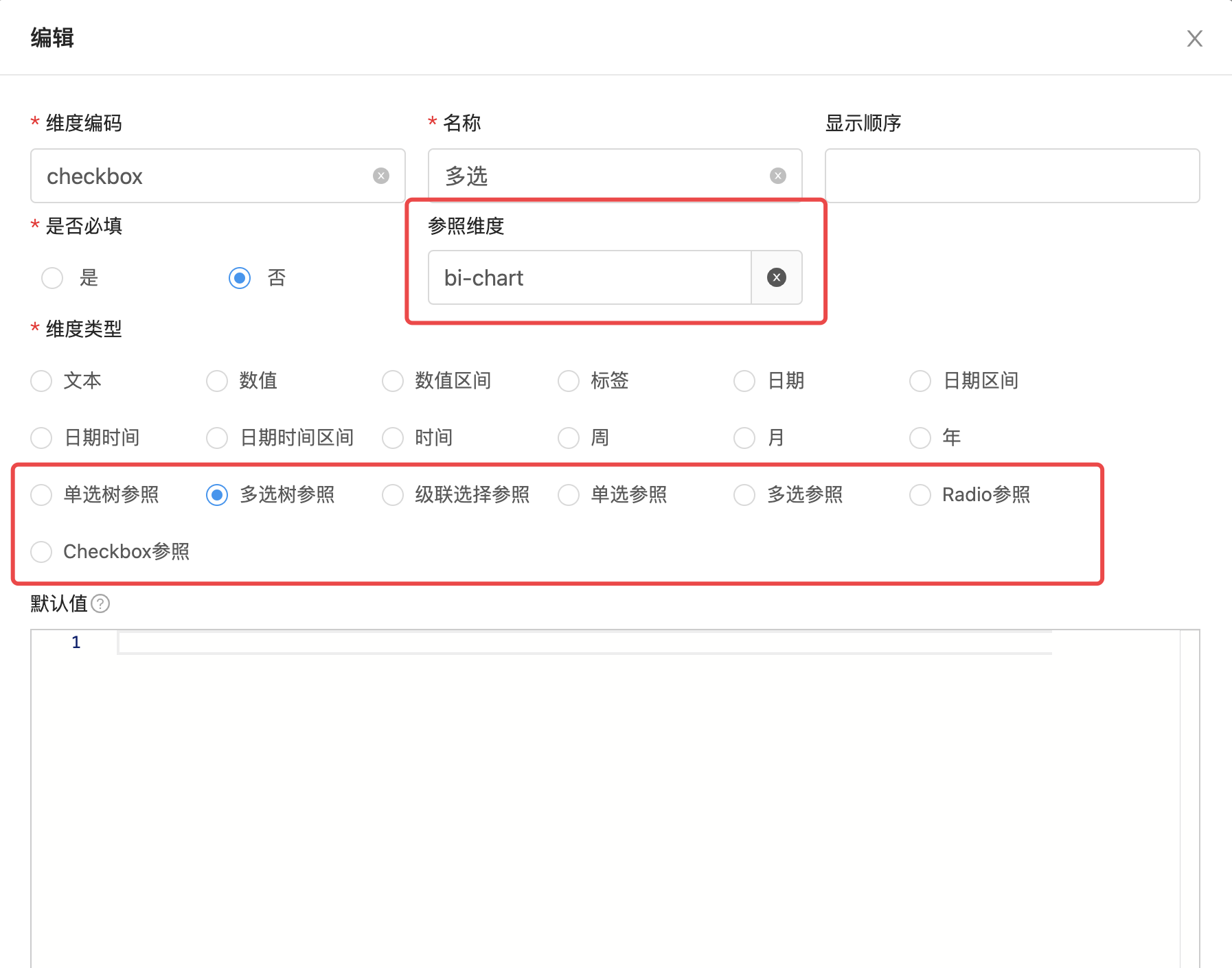
Report Configuration → Query Dimensions → Dimension Type
Select any Reference dimension type, then link the reference dimension.
Contributors
 YuePeng
 Claude Fable 5.1