
Data Sources
Multiple data sources let you connect to different databases for broader multi-dimensional data analysis. Pagination dialects are built in for:
MySQL, MariaDB, PostgreSQL, TiDB, Oracle, SQLServer 2012, DaMeng, KingBase, ClickHouse, Impala, StarRocks
For databases not on the list (Apache Druid, Presto, etc.), select Other and provide a custom pagination statement to build the dialect.
TIP
If you only use the default data source configured in Spring Boot, no extra configuration is needed — simply skip this step (the MySQL dialect is used for pagination by default).
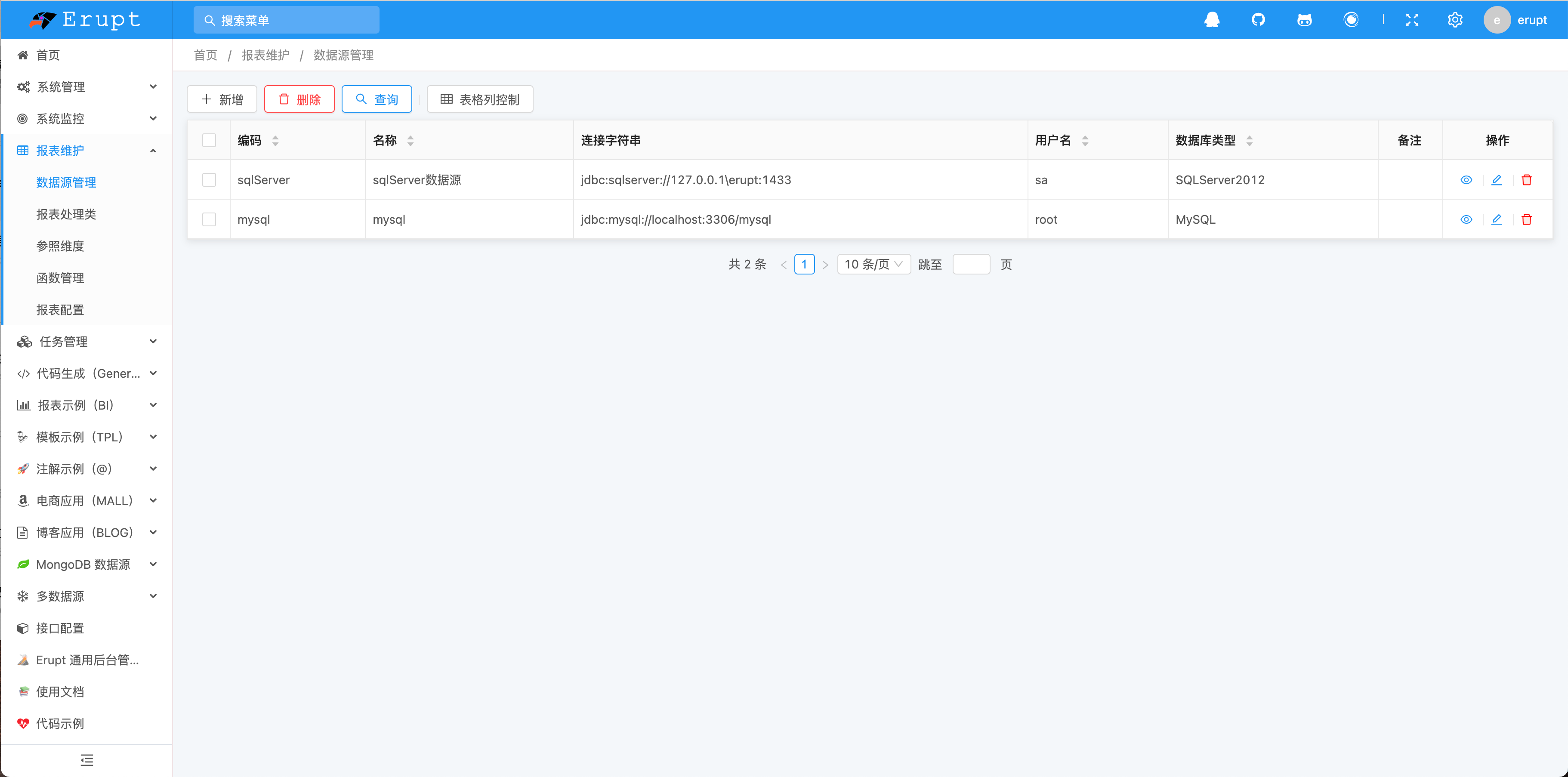
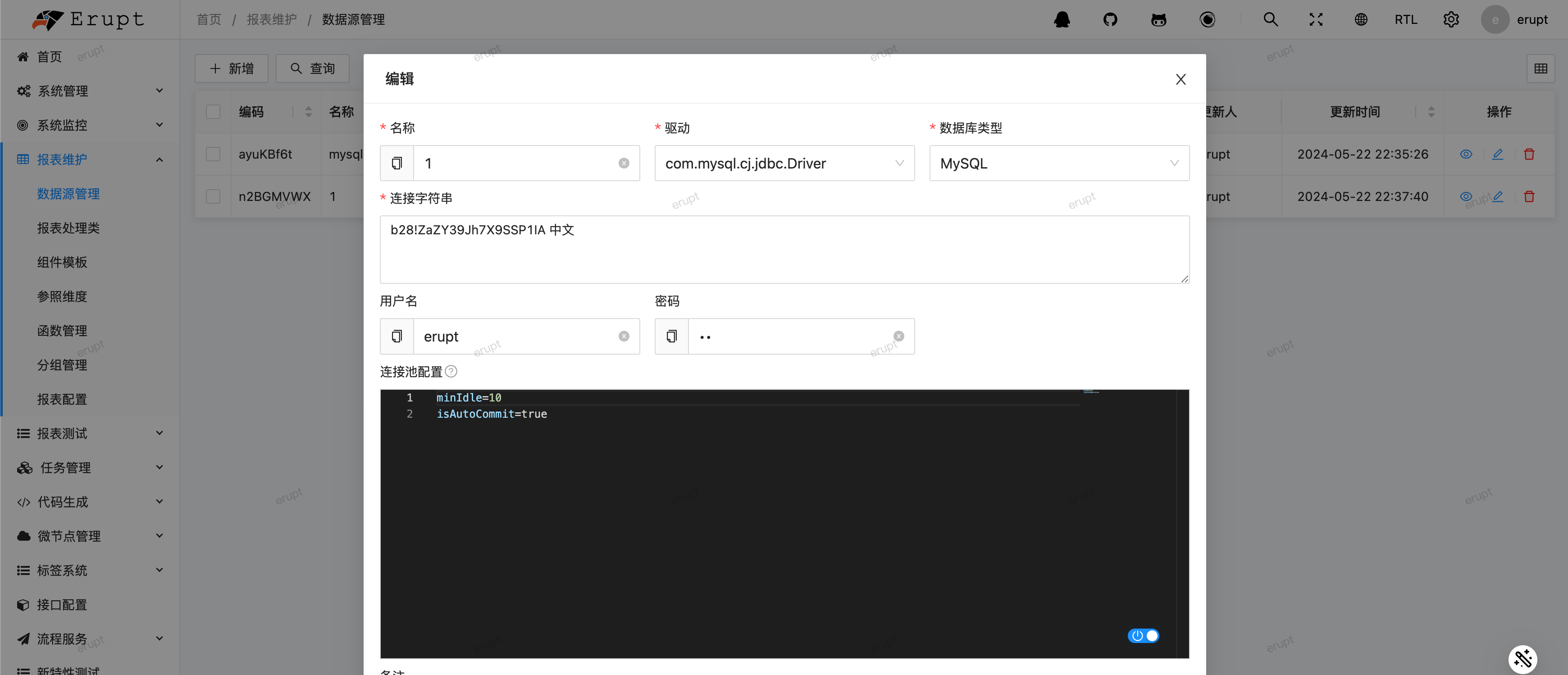
Configuration Options
| Option | Description |
|---|---|
| Code | Must be unique |
| Name | Data source name |
| Driver | JDBC driver — make sure the corresponding database driver dependency is added to your project |
| DB Type | Determines the pagination dialect; if your database is not in the dropdown list, select Other and provide a custom pagination statement |
| Connection String | Database connection string |
| Username | Database username |
| Password | Database password |
| Test Connection | Verify connectivity with one click before saving |
| Pagination SQL | Required when DB Type is Other |
| Connection Pool | HikariCP parameters in key=value format, one per lineChanges do not take effect immediately after saving — a restart is required |
| Remark |
Custom Pagination Statement
The pagination statement supports the following placeholders:
| Variable | Description |
|---|---|
@sql | Original query SQL |
@size | Page size |
@skip | Rows to skip |
@sort | Sort fields |
Example (the general MySQL-style dialect):
sql
select * from (@sql) _t @sort limit @size offset @skipContributors
 YuePeng
 Claude Fable 5.1