
System Log
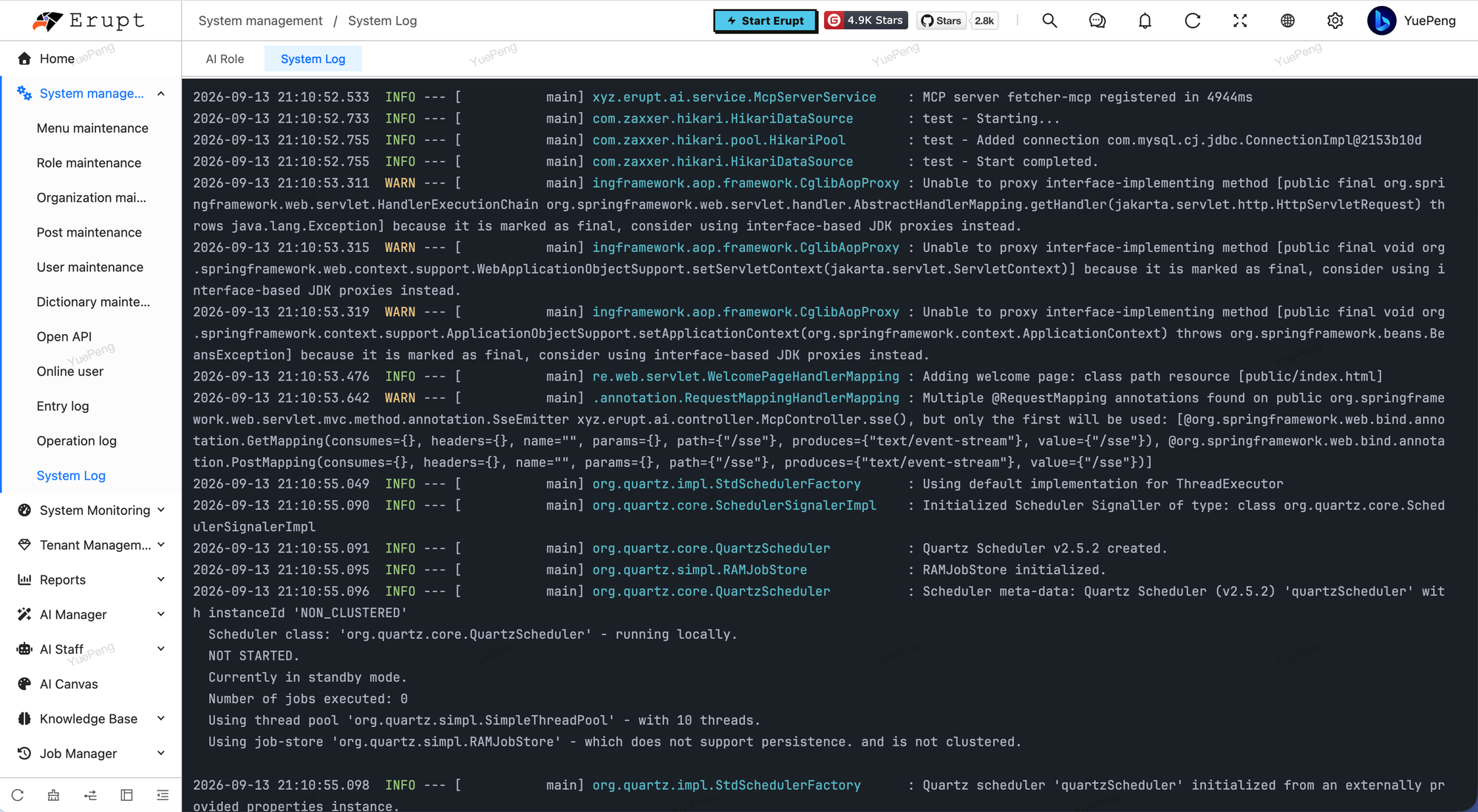
Read live application logs in the browser, with no server login and no terminal.
How It Works
- At startup an appender is registered with Logback or Log4j2 that copies every log line into an in-memory queue, dropping the oldest lines once full.
- The page polls for new lines every 1.5 seconds and renders them in an xterm terminal: level coloring, clickable links, search, and automatic reflow on resize.
- Only the most recent N lines are kept, nothing is written to disk, and your existing log files and logging configuration are untouched.
Configuration
yaml
erupt:
  log-track: true            # enable log collection, default true
  log-track-cache-size: 1000 # maximum lines kept in memory
Raise log-track-cache-size temporarily while debugging. It only affects memory, roughly the text length of each line.
Permissions
System Log is a template-type menu governed by menu permissions. Grant it to ops or admin roles only. Logs may contain SQL, parameters and stack traces, so avoid exposing it to ordinary users.
Clusters and Multiple Nodes
Works out of the box on a single instance. With erupt-cloud, each node's log is available the same way from Node Management on the cloud side, with no per-server login.
Contributors
 YuePeng
 Claude Opus 5 (1M context)