
Erupt Cloud Node
A distributed micro-node that registers with Cloud Server and accepts its scheduling, while also replacing local yml configuration files with database configurations from the Server side.
Deploying a Node
1. Create a Spring Boot Project
Go to Spring Initializr to create a project.
2. Add the erupt-node Dependency
<dependency>
  <groupId>xyz.erupt</groupId>
  <artifactId>erupt-cloud-node</artifactId>
  <version>${erupt.version}</version>
</dependency>
WARNING
Do not include erupt-admin or erupt-security in micro-node projects. Keep dependencies minimal.
3. Configuration
erupt:
  cloud-node:
    # Required: deployment address of erupt-cloud-server
    server-addresses: ['http://localhost:9999']
    # Required: access-token obtained from the server side
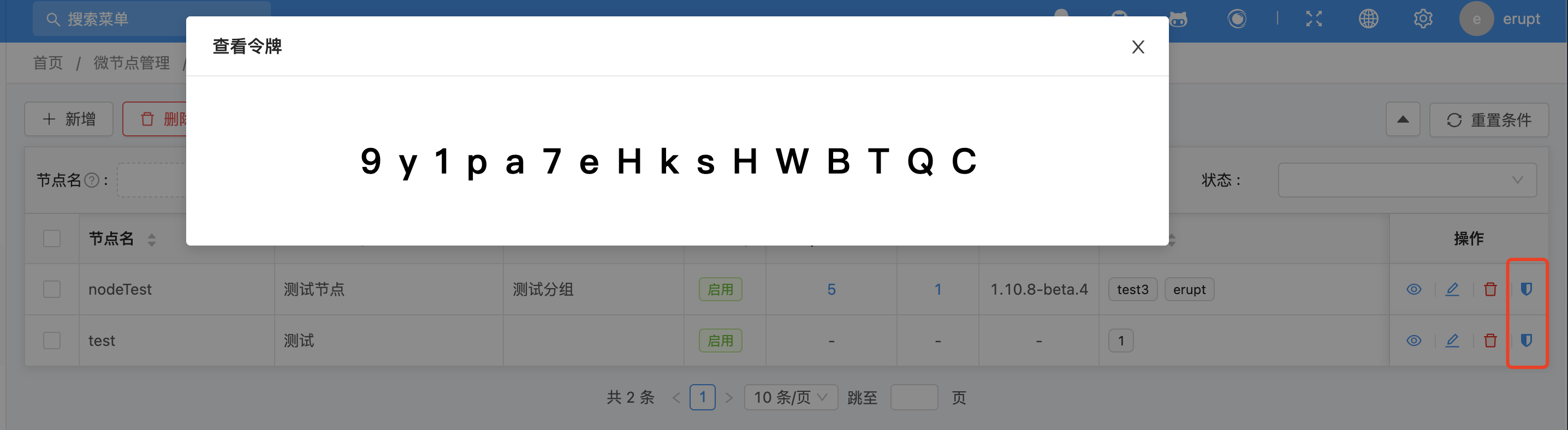
    access-token: 9y1pa7eHksHWBTQC
    # Required: node name, must match the configuration on the server side
    node-name: nodeTest

    # Optional: current node address; must be explicitly set in complex network environments
    host-address: ['xxx']
    # Optional: whether to enable service registration, default true
    enable-register: true
    # Optional: heartbeat interval in milliseconds, default 15000
    heartbeat-time: 15000
Manually add the node on the Server side:
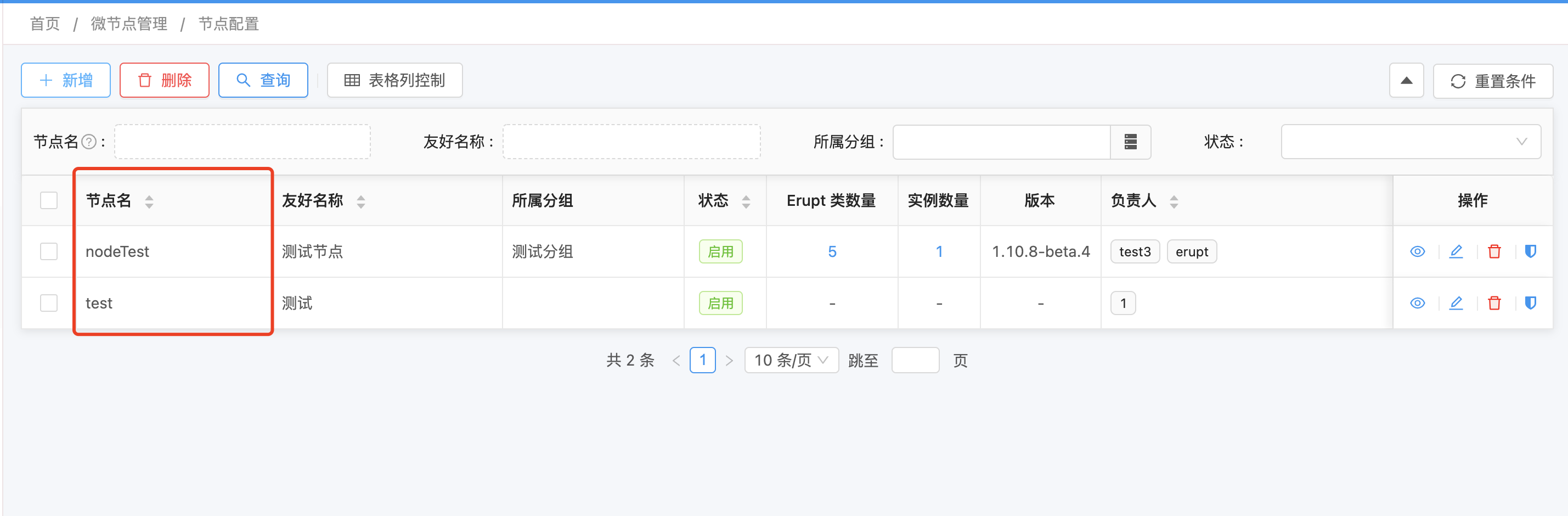
Retrieve the access-token (requires token view permission to be assigned):
4. Add the @EruptScan Annotation
@SpringBootApplication
@EruptScan
public class DemoApplication {
    public static void main(String[] args) {
        SpringApplication.run(DemoApplication.class, args);
    }
}
5. Start the Node

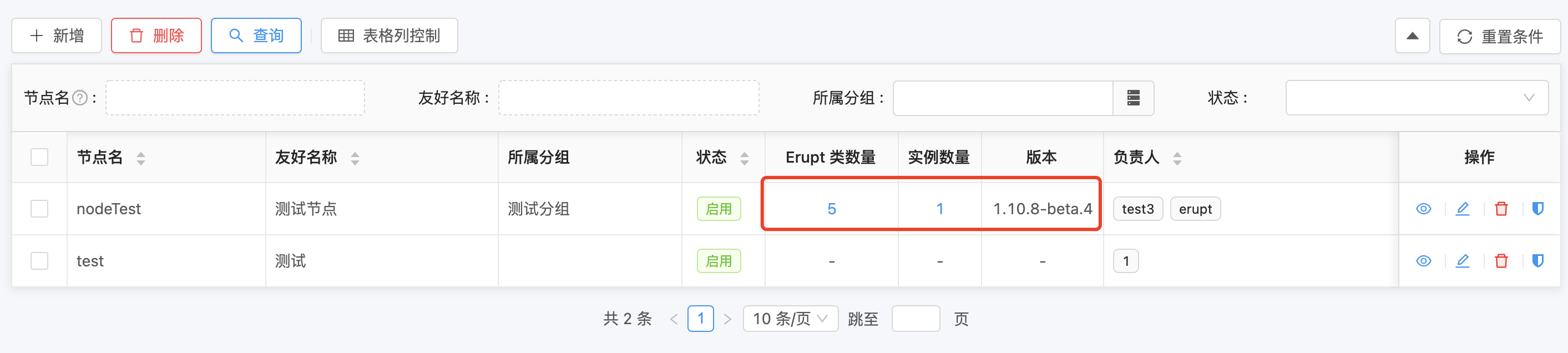
After a successful start, the Server side displays the current node's instance count, number of Erupt classes, version, and other information:
Creating Erupt Entities in a Node
@Erupt(name = "Simple Example")
@Table(name = "node_demo")
@Entity
public class NodeDemo extends BaseModel {

    @EruptField(
        views = @View(title = "Text"),
        edit = @Edit(title = "Text")
    )
    private String input;

    @EruptField(
        views = @View(title = "Number"),
        edit = @Edit(title = "Number")
    )
    private Integer number = 100;
}
Associating Node Entities on the Server Side
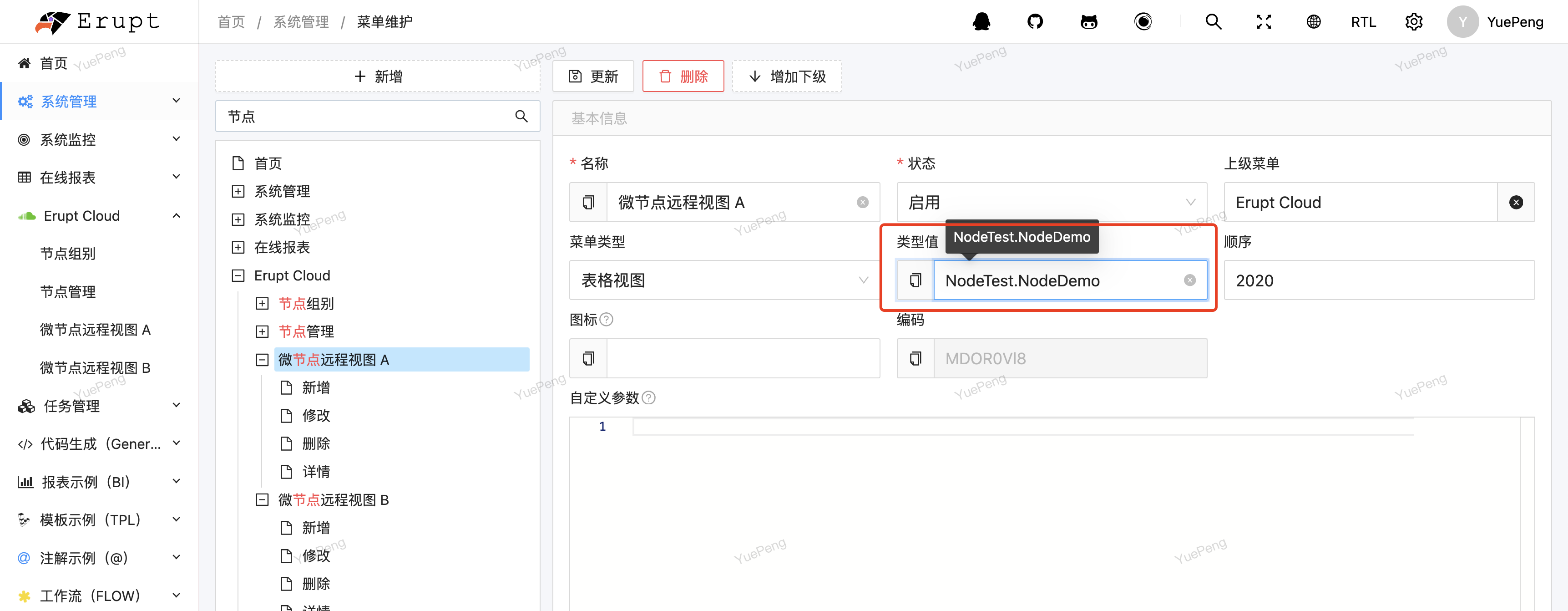
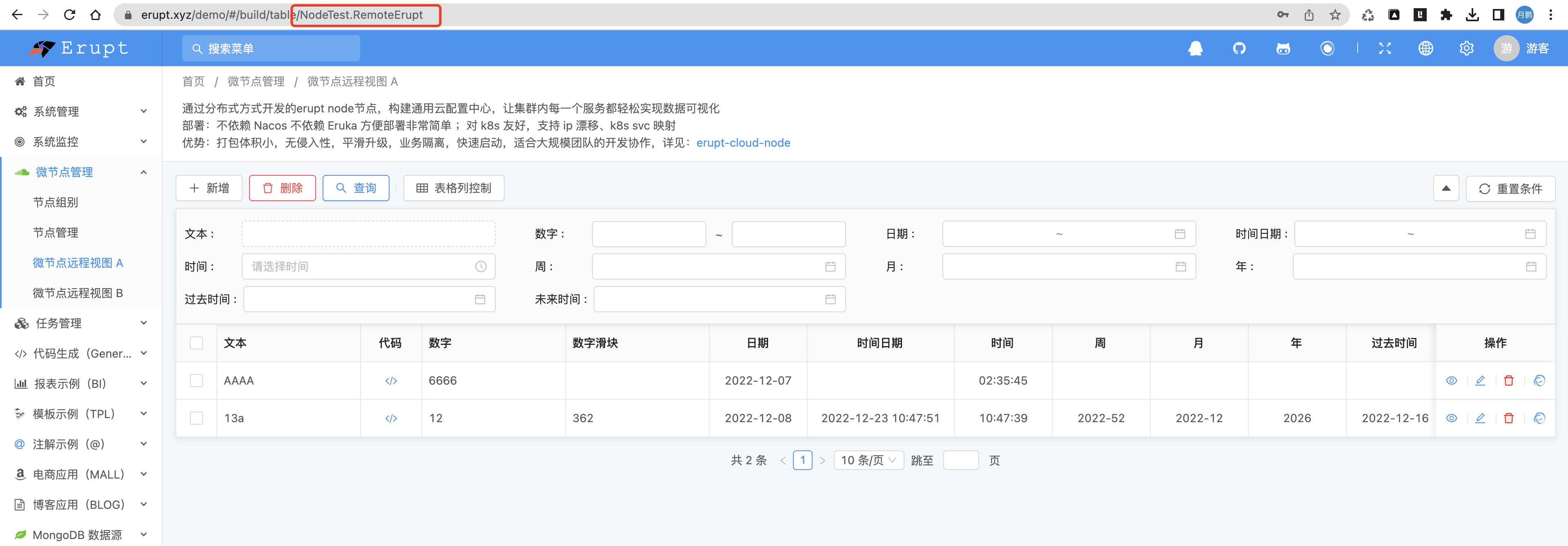
- Go to System Management → Menu Management → Add
- Enter the type value in the format:
nodeName.ClassName. For example, if the node name isNodeTest, enterNodeTest.NodeDemo
Refresh the page to see the page configured by the Node:
Connecting to a Database (JPA)
1. Add Dependencies
<dependency>
  <groupId>xyz.erupt</groupId>
  <artifactId>erupt-cloud-node-jpa</artifactId>
  <version>${erupt.version}</version>
</dependency>
<dependency>
  <groupId>mysql</groupId>
  <artifactId>mysql-connector-java</artifactId>
  <scope>runtime</scope>
</dependency>
2. Add Database Configuration
spring:
  datasource:
    url: jdbc:mysql://127.0.0.1:3306/erupt?useUnicode=true&characterEncoding=UTF-8&serverTimezone=Asia/Shanghai
    username: root
    password: 123456
  jpa:
    show-sql: true
    generate-ddl: true
    database: mysql
Node Plugin Support
WARNING
Do not introduce dependencies not listed below — they may cause unexpected issues.
| Module Name | Capability Description |
|---|---|
| erupt-cloud-node | Micro-node base capabilities |
| erupt-cloud-node-jpa | Database (JPA) capability |
| erupt-data-mongodb | MongoDB database capability |
| erupt-excel | Excel import/export capability |
| erupt-toolkit | Utilities (e.g., SQL query capability for choice components) |
| erupt-tenant-core | Multi-tenant capability (not open-source) |
Pulling Configuration from the Server Side (Replacing yml Config Center)
Node instances can proactively pull configuration content stored in the Server's database to replace traditional yml configuration center files. Configurations are visually edited in the admin interface and take effect without modifying code or restarting the service.
Configuration entry points:
- Node-level configuration: Admin interface → Node Management → Node Configuration
- Group-level configuration: Admin interface → Node Groups → Group Configuration
@Component
public class Fetch {

    @Resource
    private ServerRemoteService serverRemoteService;

    public void fetchConfig() {
        // Get current logged-in user information
        MetaUserinfo metaUserinfo = serverRemoteService.getRemoteUserInfo();
        // Pull node-level configuration (corresponds to the "Node Configuration" field in Node Management on the Server side)
        String config = serverRemoteService.getNodeConfig();
        // Pull group-level configuration (corresponds to the "Group Configuration" field in Node Groups on the Server side)
        String groupConfig = serverRemoteService.getNodeGroupConfig();
    }
}
TIP
The configuration content format is unrestricted. JSON or YAML strings are recommended; business code is responsible for parsing.
Contributors
 YuePeng
 Claude Opus 5 (1M context)