
Erupt Generator Code Generation
erupt-generator provides visual code generation capabilities. Use the interface to quickly generate Erupt entity class code, then copy it directly into your project — significantly boosting development efficiency.
Adding the Dependency
xml
<dependency>
  <groupId>xyz.erupt</groupId>
  <artifactId>erupt-generator</artifactId>
  <version>${erupt.version}</version>
</dependency>
After a successful import, restart the application to see the Code Generation menu entries.
Menu Entry
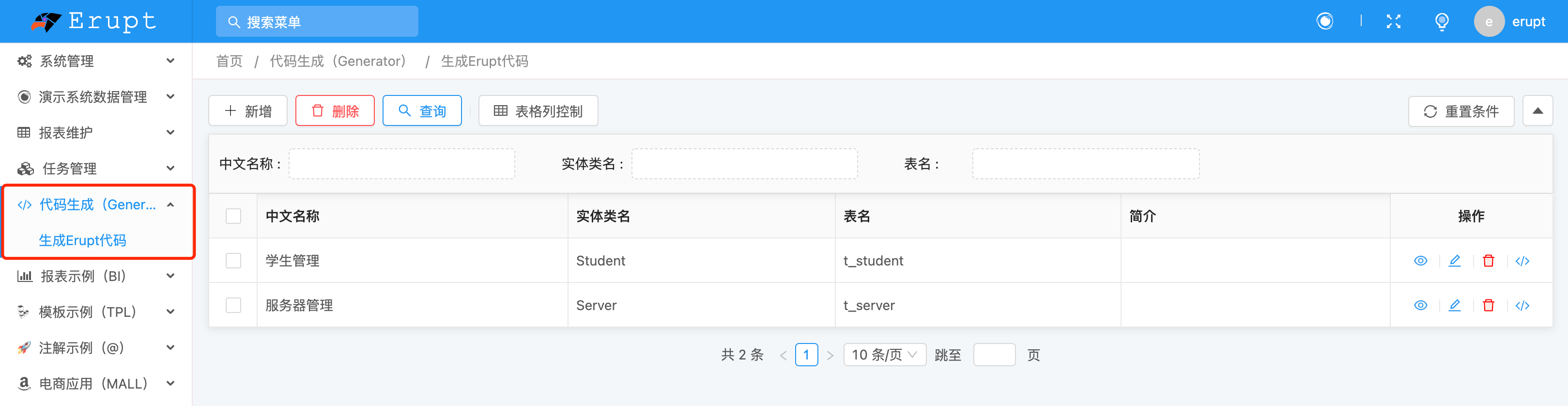
Code Generation Interface
Configure field information through the visual interface to automatically generate complete Erupt entity class code:
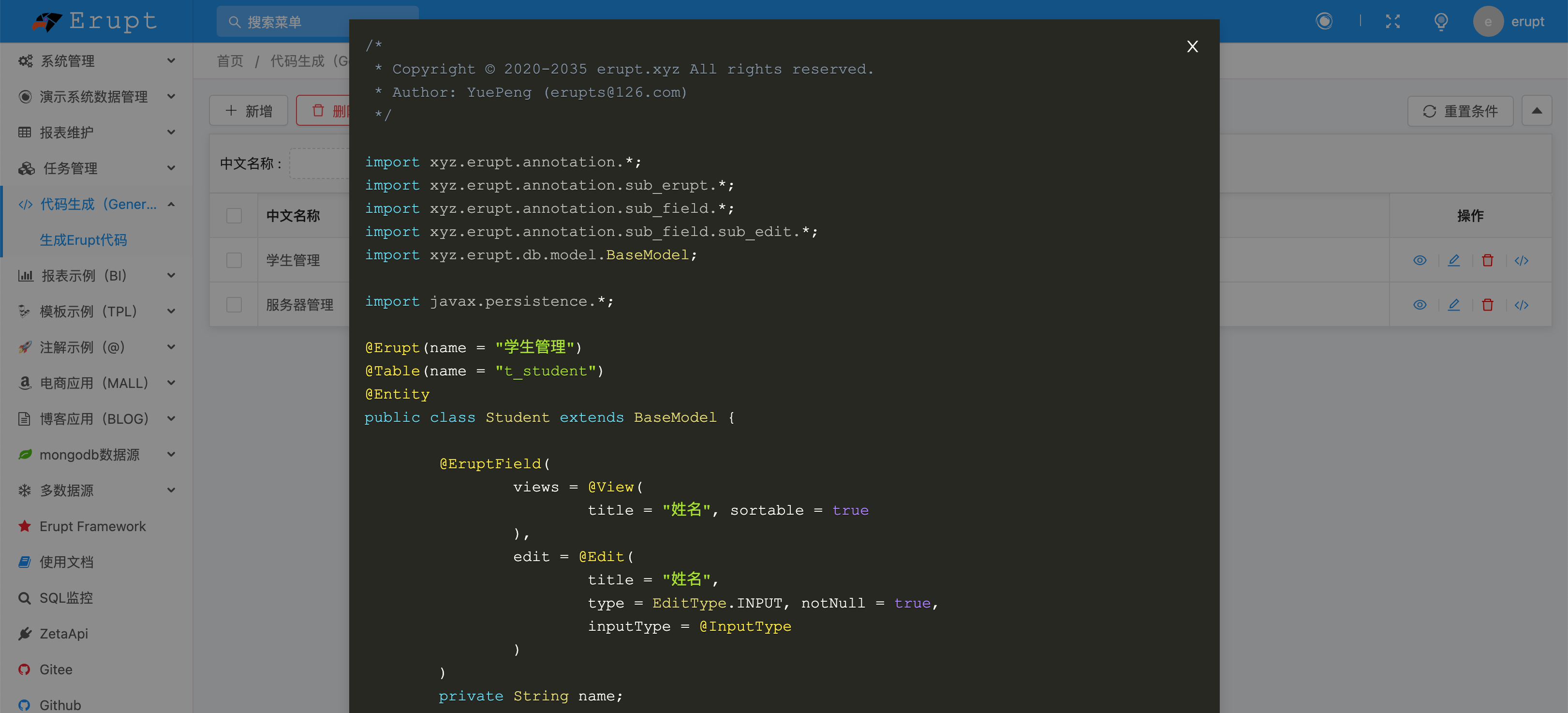
Workflow
- Open the Code Generation menu and click Add
- Fill in the class name, package name, and other basic information
- Add fields, configuring field types, display names, edit components, etc.
- Click Generate Code, then copy or download the generated Java file
- Place the file in the corresponding package path in your project and restart
- Add the class as a menu entry in Menu Management to start using it
TIP
The generated code is based on standard Erupt annotations and can be further customized to add complex business logic.
EZDML Assisted Modeling
For quickly generating code from a database schema, you can use the EZDML data modeling tool. See EZDML Code Generation.
Contributors
 YuePeng
 Claude Opus 5 (1M context)