
erupt-designer — Visual Form Designer
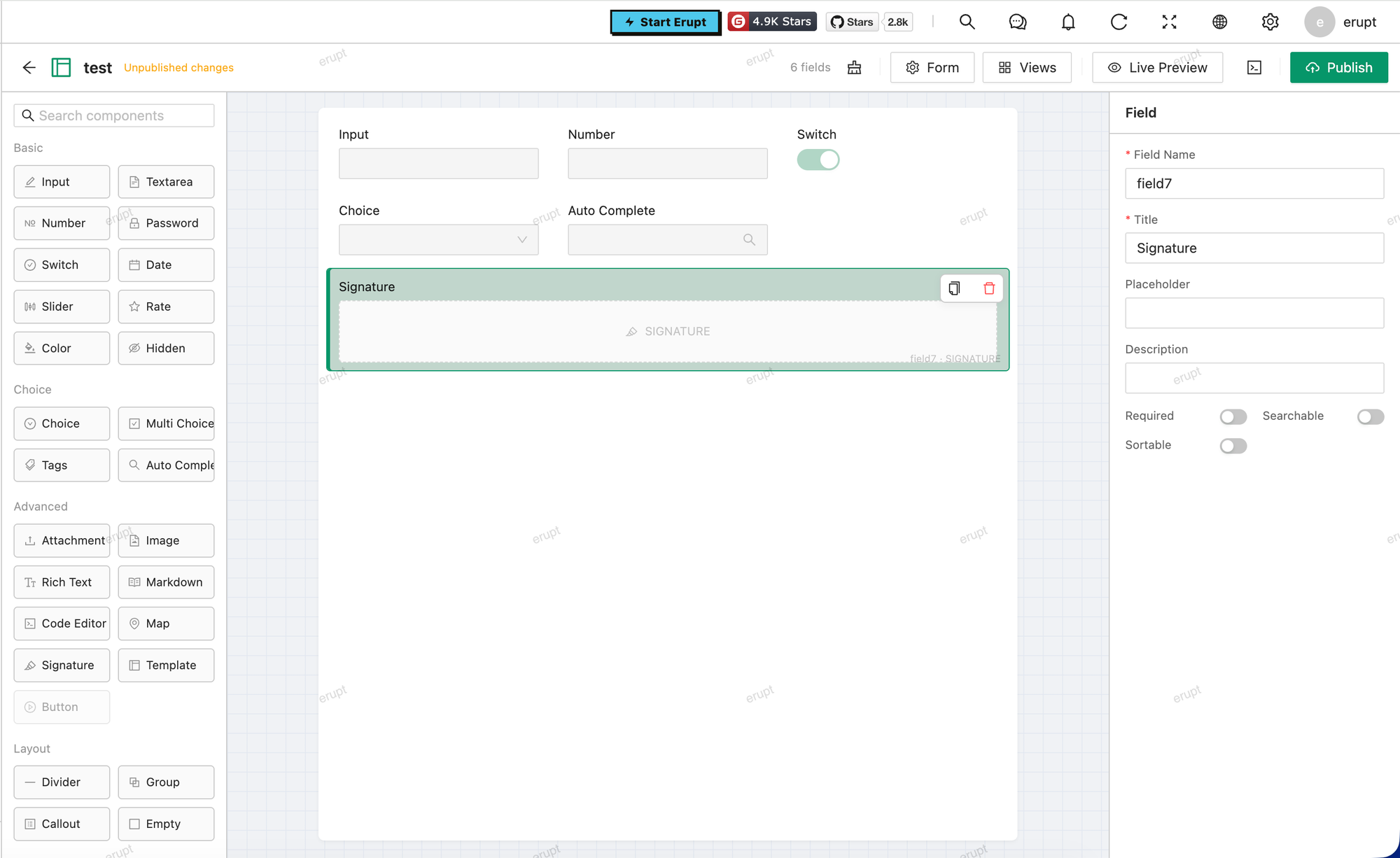
Visually design Erupt entity models at runtime through a drag-and-drop interface. Published models are immediately registered as admin menu pages — no restart required. Designs can be exported to Java annotation source code for a smooth transition to hand-written development.
Supported in 2.0.0+
Dependency
<dependency>
    <groupId>xyz.erupt</groupId>
    <artifactId>erupt-designer</artifactId>
    <version>${erupt.version}</version>
</dependency>
Workflow
Create model entry → Open designer → Drag-drop fields → Preview → Add to Menu → Menu live- Open the Form Designer menu and create a new model record — fill in the Class Name and display Name.
- Click the Design row button to open the visual designer.
- Drag and drop fields; configure type, title, required, search, and other properties for each field.
- Click Preview to see a live form preview.
- Back on the list page, click the Add to Menu row button, configure the target menu, and publish with one click.
- No restart needed — the menu is active immediately.
Exporting Java Code
Click Export Code in the designer to generate standard Java annotation code:
@Erupt(name = "My Model")
public class MyModel extends BaseModel {

    @EruptField(
        views = @View(title = "Name"),
        edit  = @Edit(title = "Name", notNull = true)
    )
    private String name;

    // ...
}
Drop the generated code into your project source, replacing the designer-managed runtime model — a clean path from drag-and-drop prototyping to production-ready code.
Publish Mechanics
- On publish, the design config is saved to
e_designer.configand registered as a runtimeEruptModelin memory. - On every application startup, all published designer models are automatically re-registered — no manual action needed.
- If a real
@Eruptclass with the same class name already exists, the designer cannot overwrite it, preventing conflicts.
Data Storage v2.2.0+
As of 2.2.0 the business data of designer models lives in an embedded SQLite file, with one real table per published design (named d_<lowercase class name>):
erupt:
  designer:
    # SQLite file path; relative paths resolve against the JVM working directory
    db-path: data/designer.db
    # Pool size; SQLite allows one writer at a time, readers run concurrently in WAL mode
    max-pool-size: 4
Scalar fields become native columns, so filtering, sorting and paging are pushed down as SQL on one dialect regardless of what the host application runs on. Reference and multi-value fields keep composite values, stored as JSON text and searched with json_extract / json_each.
Schema changes are additive and idempotent: columns are added, never dropped or retyped, and a rename moves the existing column — matched on a per-field id the publish assigns — so the values follow the renamed field instead of being stranded under the old name.
This file is not part of the main database
designer.db is a standalone file: mount it on a persistent volume and include it in your backups, or designer data is lost when the container is rebuilt.
Upgrading from 2.1.x
Older data lives in the e_designer_data table of the main database and is not migrated automatically. Re-publishing a design after the upgrade creates its new table; to keep existing rows, export them from e_designer_data as JSON and re-import.
That table is neither read nor written after the upgrade and Hibernate will not drop it — once its contents are no longer needed, DROP TABLE e_designer_data by hand. The design config itself (e_designer) stays in use and is unaffected.
Notes
- Supported field types include:
INPUT,TEXTAREA,NUMBER,DATE,BOOLEAN,CHOICE,MULTI_CHOICE,SLIDER,RATE,COLOR,REFERENCE_TREE,REFERENCE_TABLE, and other common types. - Reference fields (
REFERENCE_*) must link to an already-registered Erupt model.
Contributors
 YuePeng
 Claude Fable 5.1