
Erupt Flow Workflow Engine
A general-purpose workflow engine solution with full support for process configuration, process initiation, process approval, and process notifications. Zero frontend code to define process nodes. Combined with a DingTalk-style visual workflow designer, quickly build enterprise-grade workflow systems. Erupt can serve as both a workflow form engine and a workflow configuration platform.
Commercial Module
Includes: Full source code · All future version upgrades · Technical support · Priority Erupt-related support · Reasonable feature requests implemented for free · Continuous capability iteration License: No License restrictions · Multi-project reuse allowed · No commercial restrictions Limitation: Redistribution and secondary open-sourcing are prohibited

Officially produced and maintained by the open-source Erupt framework team (GitHub 3k+ ★ · Gitee 5k+ ★). Private deployment; data stays on-premises; compliance-friendly.
Demo: https://demo.erupt.xyz Username: flow Password: flow
Documentation
Quick Start · Approval Forms · Workflow Development · Custom Extensions · Flow Printing · Database Design
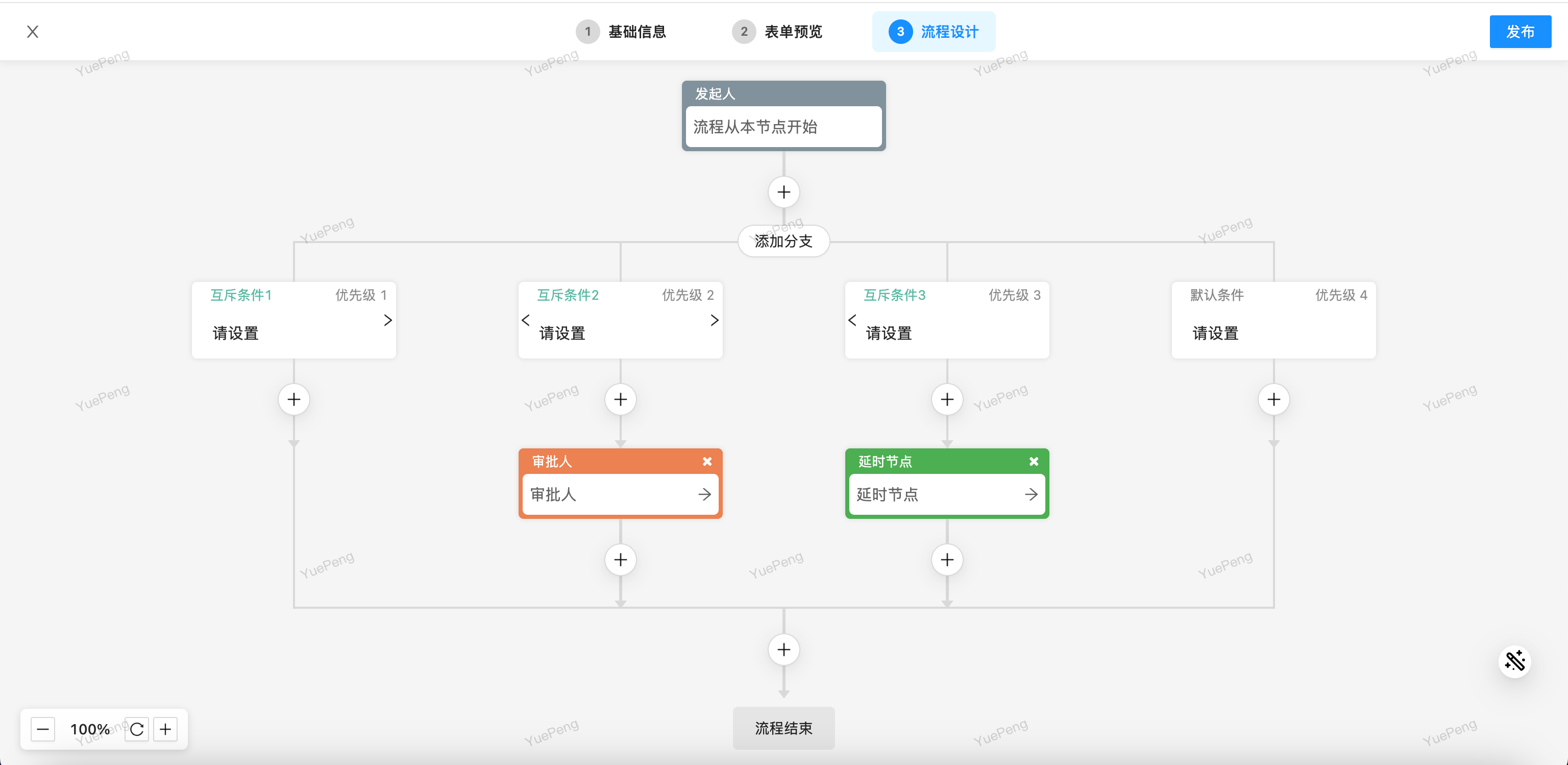
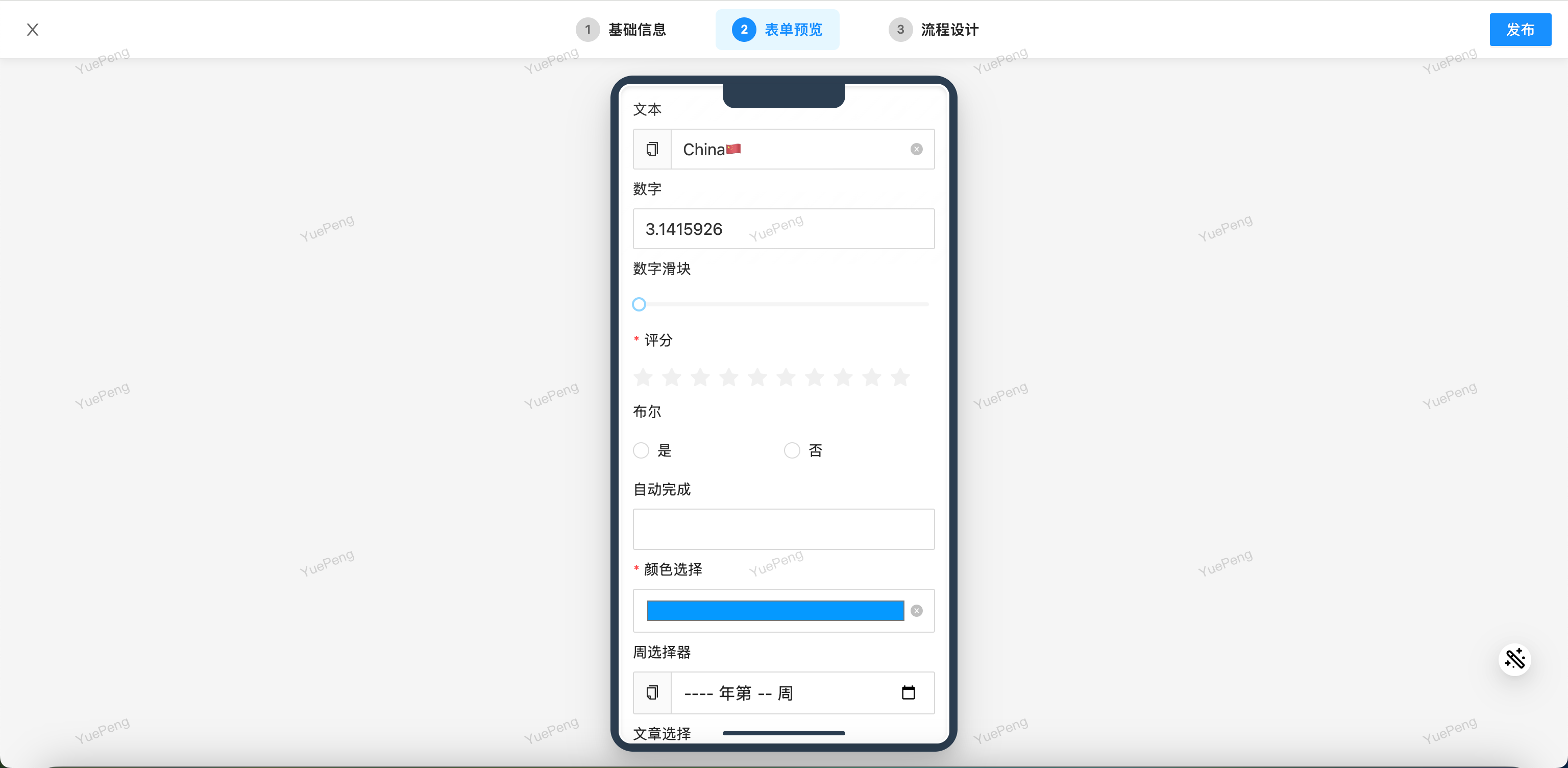
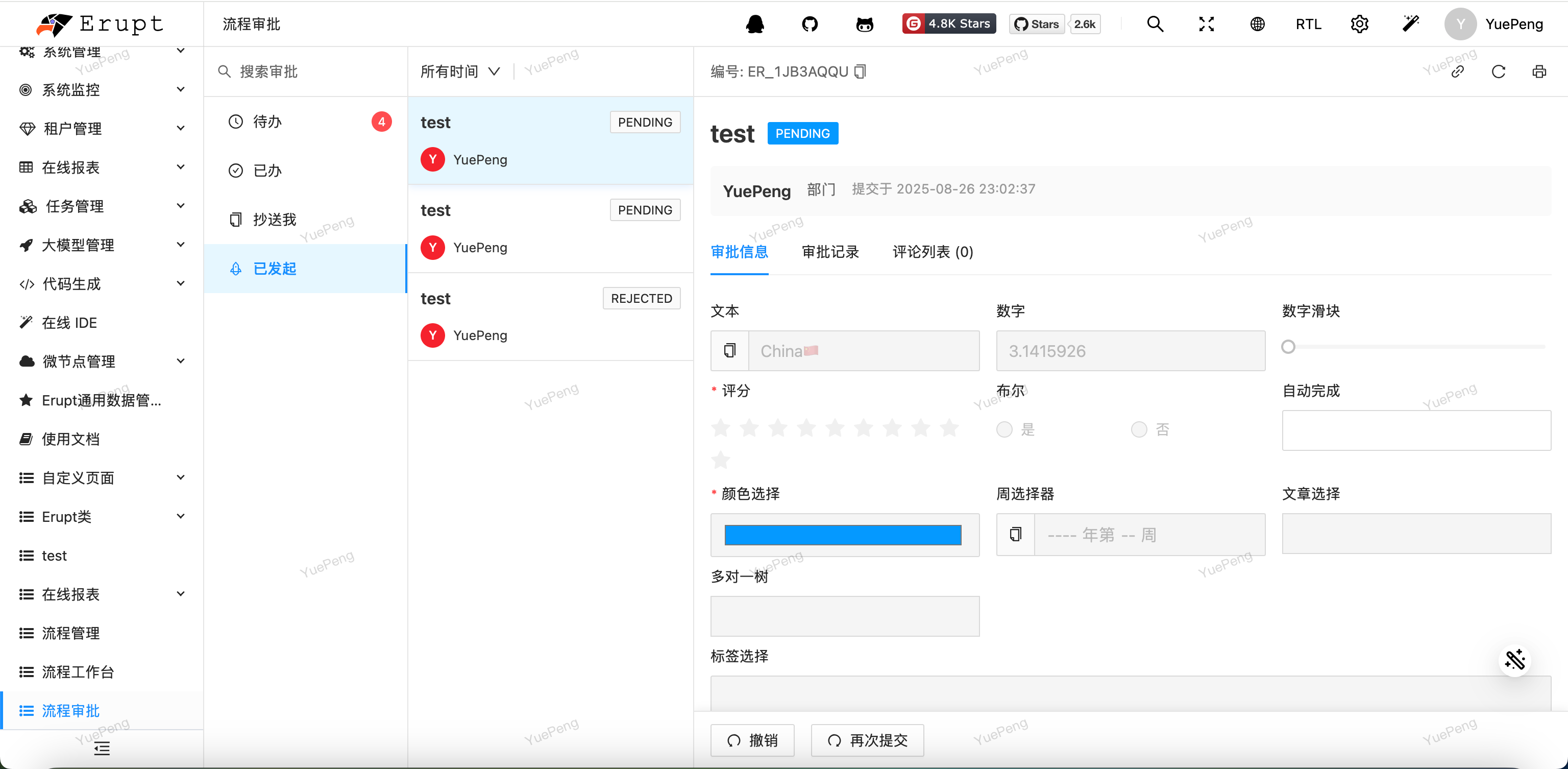
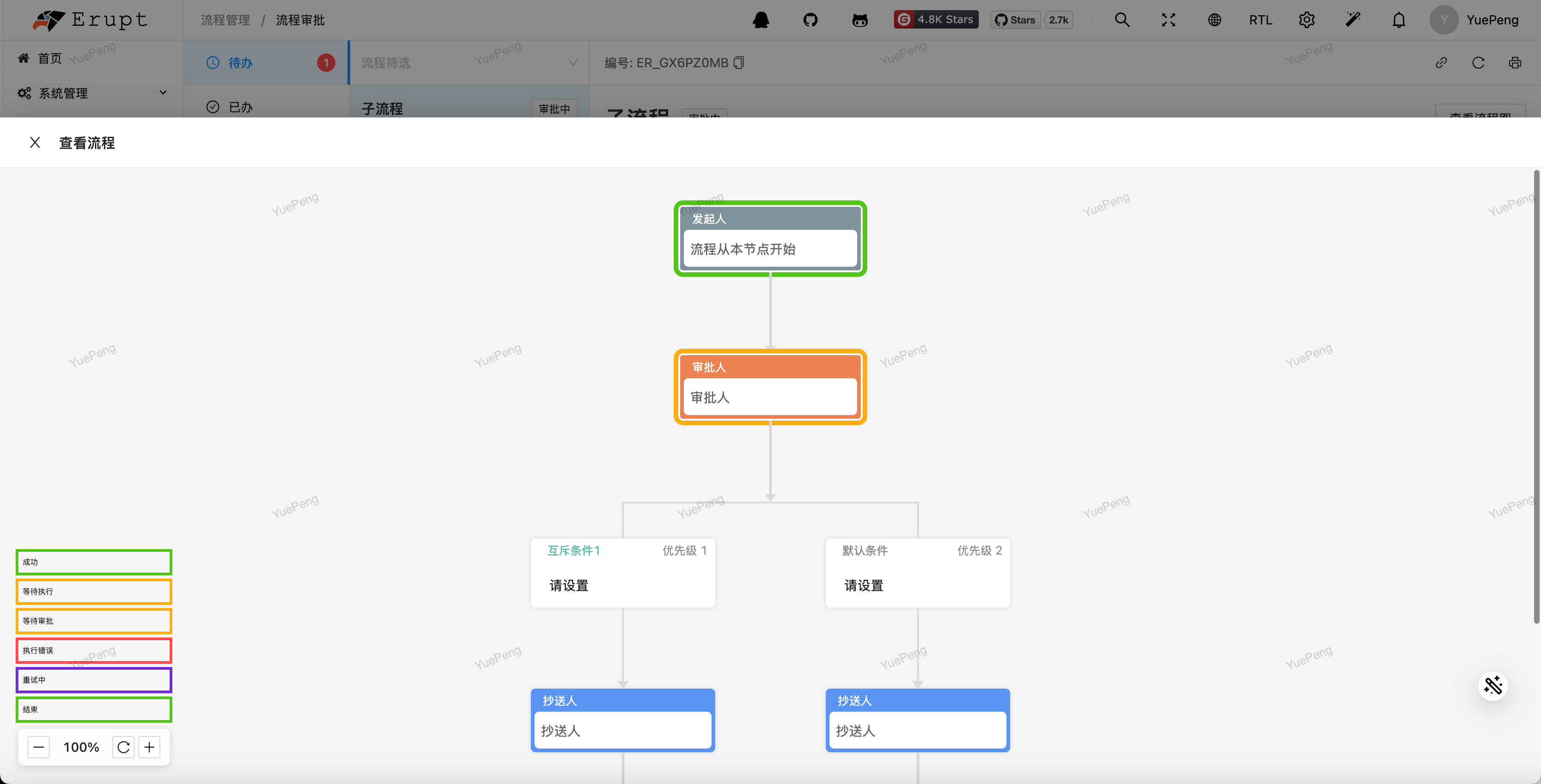
Initiated process data dynamically associated with an Erupt class:
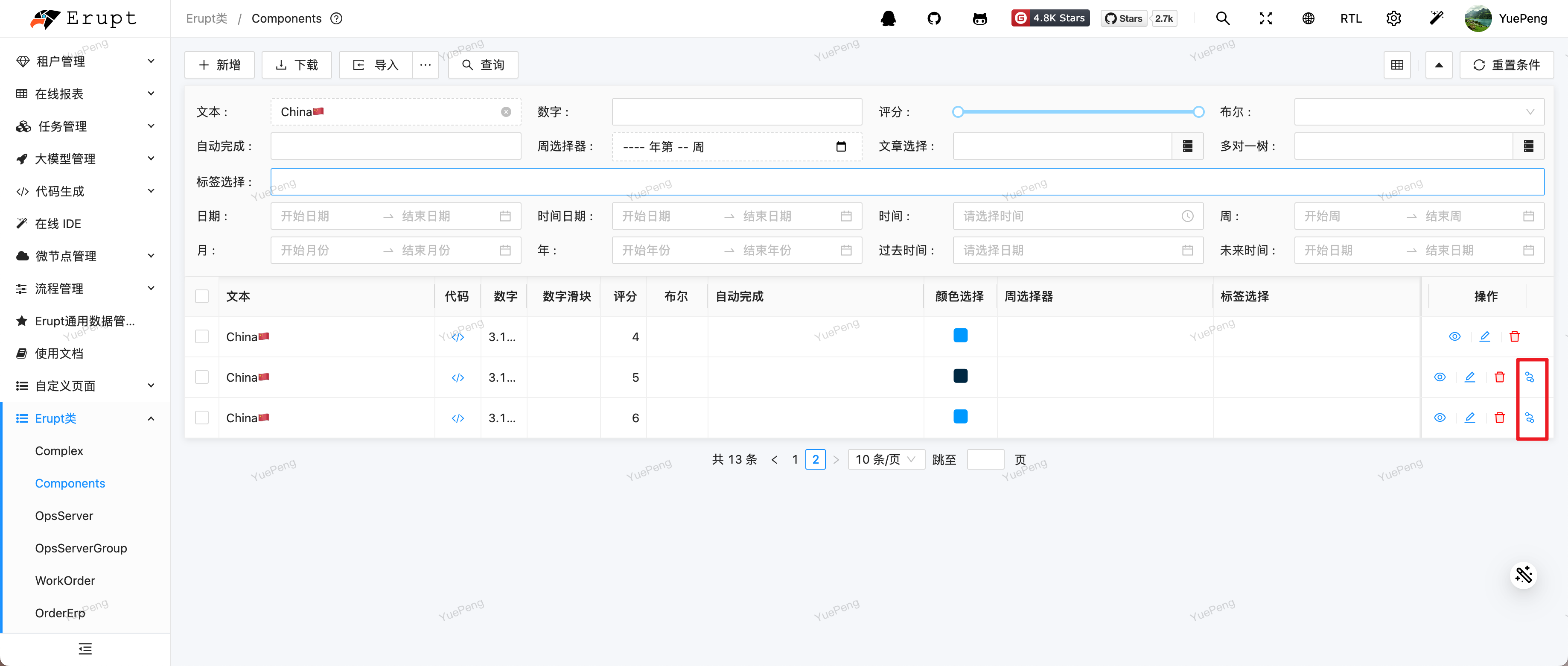
Initiating a process:
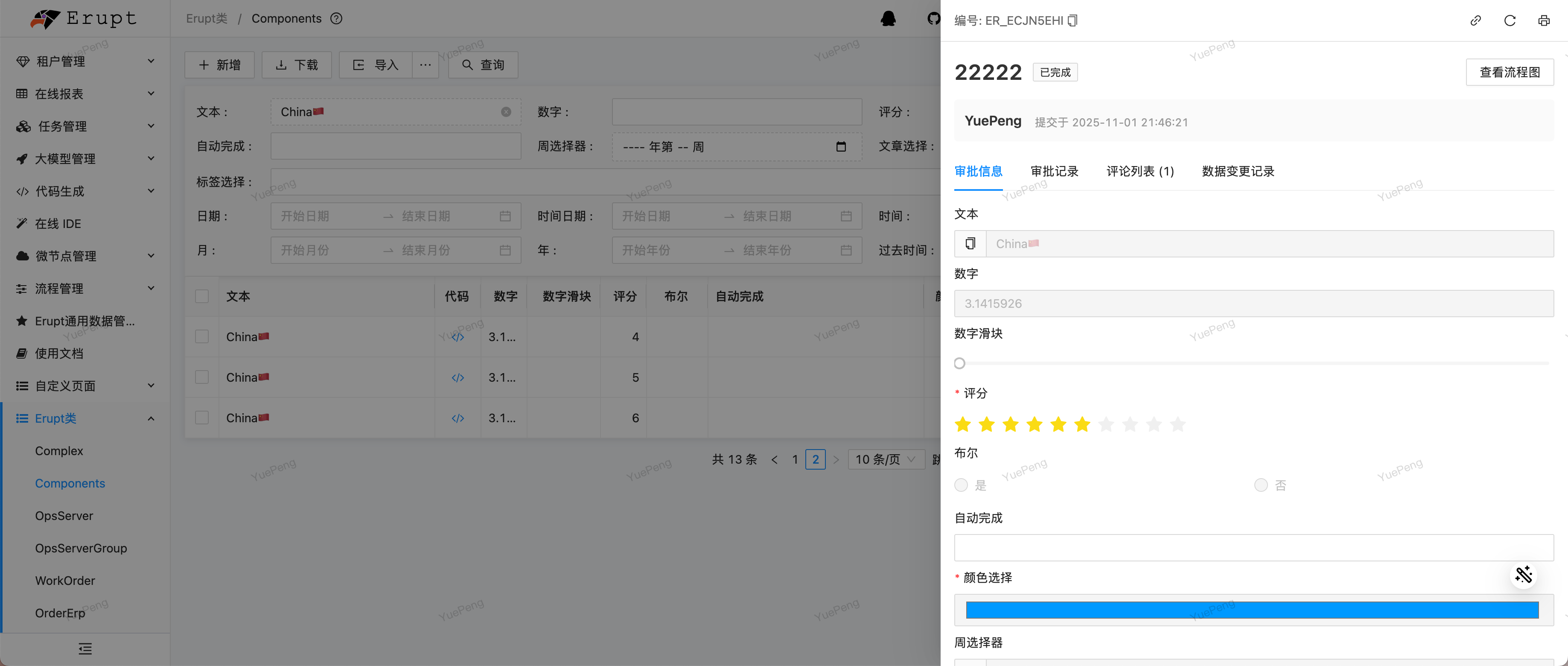
Custom printing (see Flow Printing):

Drag-and-Drop Form Design with erupt-designer
erupt-flow supports two ways to define workflow forms:
| Approach | Description | Best For |
|---|---|---|
| Annotation-driven (default) | Declare fields in Java entity classes via @EruptField; the framework auto-renders them as approval forms | Dev teams, fields with complex logic |
| Visual designer (with erupt-designer) | Drag and drop components on a visual canvas to configure fields — no Java code required | Business users maintaining forms independently, rapid iteration |
Once erupt-designer is integrated, the workflow configuration step includes a visual form design interface. Drag in text inputs, dropdowns, date pickers, attachments, and more — preview in real time, publish to go live. Both approaches can be combined: define technical fields via annotations and let business users manage domain-specific fields through the designer.
For what each approach can and cannot do, how to mix them, and how to migrate a designed form to annotations, see Approval Forms →
Why Not Use Camunda / Flowable / DingTalk / Feishu Approvals?
| Dimension | Camunda / Flowable | DingTalk / Feishu Approvals | Custom | Erupt Flow |
|---|---|---|---|---|
| Learning Curve | Steep (BPMN 2.0 standard + engine concepts) | Low | Low | Low (annotations = process) |
| UI Effort | High (designer + forms + approval UI all custom-built) | 0 (but fully locked in) | High | 0 (built-in designer + approval center) |
| Data Ownership | Private deployment | SaaS; data on third-party servers | Private | Private deployment; data stays on-premises |
| Business System Integration | Medium (bridge required) | Low (SDK integration is complex) | High | Native (same Erupt annotation system) |
| Custom Nodes / Buttons | Medium (engine extension required) | Not supported | Free | Annotations + handler; a few lines of code |
| Suitable Industries | Large enterprises | SME general approvals | All | Government / Finance / Manufacturing / Healthcare and other compliance-heavy sectors |
| Total Investment | 1–3 months | 0 cost but vendor-locked | 2+ months | Half a day to integrate; live within days |
Use Cases
- Government / Enterprise OA: Leave requests, reimbursements, seal usage, vehicle usage
- Financial Institutions: Credit approval, risk control review, compliance verification
- Manufacturing: Material procurement, quality anomalies, change control
- Healthcare: Drug procurement, clinical trial processes, medical incident reporting
- General: Contract signing, hiring approval, asset checkout
FAQ
Q1 · What is the difference from the open-source Erupt? Open-source Erupt provides basic CRUD and form capabilities. erupt-flow is a commercial module that adds a workflow engine, visual workflow designer, approval center UI, gateway and countersign, and other complete workflow capabilities — this is not included in the open-source version and will not be open-sourced in the future.
Q2 · How is it delivered? After payment, provide your GitHub username. The author will add you as a collaborator to the private repository erupt-io/erupt-flow. You can clone the source code directly, compile locally, and reference as needed. See Quick Start for integration steps.
Q3 · Do I need to pay again for future version upgrades? No. One-time purchase = you have access to the current and all future versions. The private repository's master branch is continuously updated; just git pull.
Q4 · What about project count / commercial use / reselling?
- Multi-project reuse allowed: Deploy in as many internal or outsourced projects as you like
- No commercial restrictions: Can be used in commercial products (including selling your finished product, but you may not sell the erupt-flow source code itself)
- Reselling: Redistribution and secondary open-sourcing are prohibited; company name or entity changes can apply for license migration
Q5 · Trial / Refunds? The online demo has all features available (username flow / password flow). We recommend fully exploring it first. Once repository access is granted, delivery is considered complete and refunds are no longer supported.
For questions not listed above, visit the pricing & purchase page to contact the author.
Contributors
 YuePeng
 Claude Opus 5 (1M context)