
Authorize Tools by Role v1.14.3+
AI capability is not all-or-nothing: give each role its own tool permissions and system prompt, and every user signs in to an AI shaped for their job — finance talks reports, ops reads logs, sales asks about data, none of them stepping outside their lane.
For how tools are written, see Build Custom Tools.
How to configure
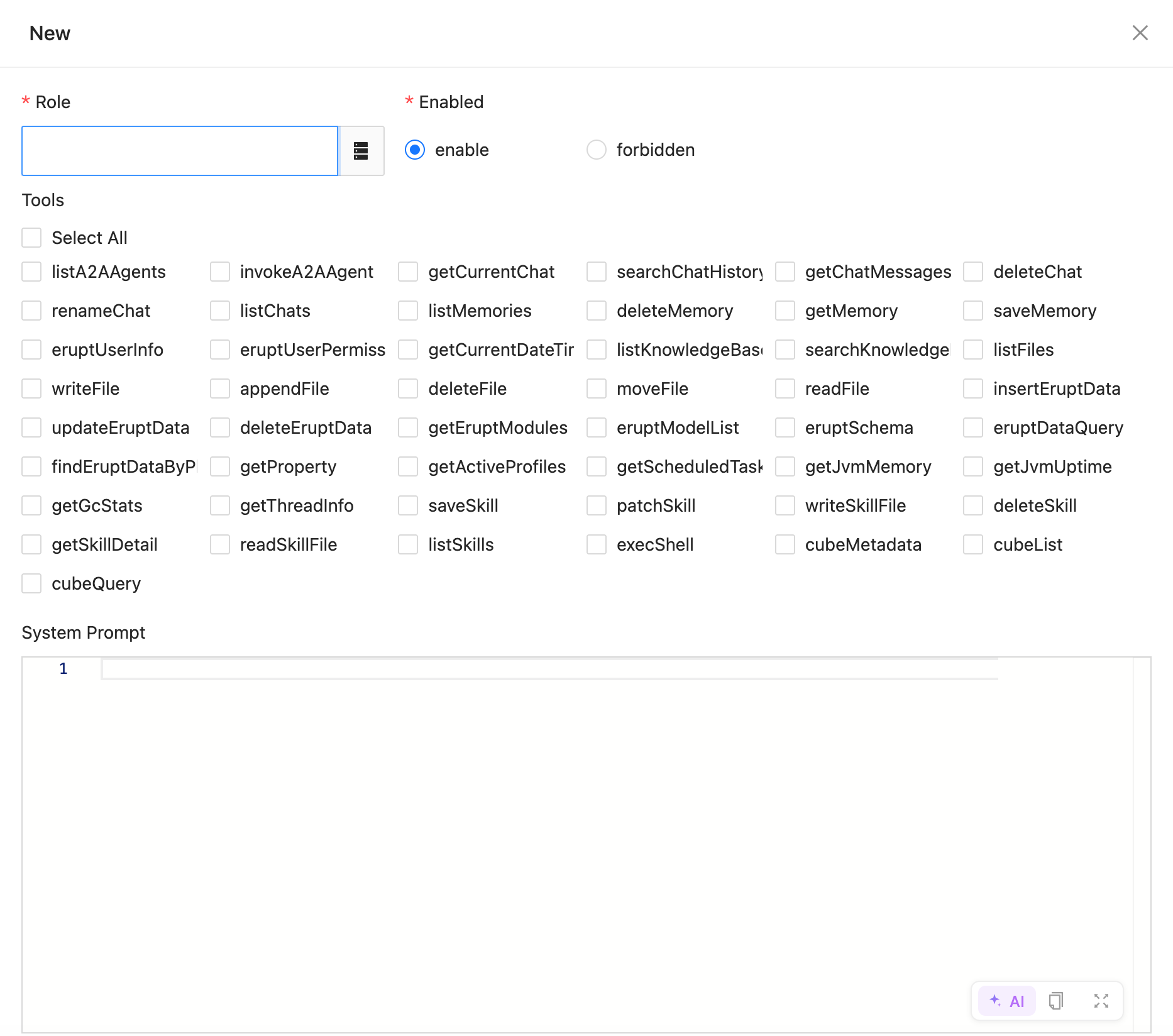
In Role Management, tick the tools a role may call and write its system prompt; saving takes effect immediately:
| Notes | |
|---|---|
| Administrators | Hold every tool by nature, nothing to configure |
| Other roles | Authorized by ticking boxes; an unticked tool is entirely hidden from that role |
| System prompt | Each role can carry its own prompt, anchoring the business context and tone for that position |
Why it matters
An unauthorized tool is invisible to the role — the AI neither mentions it nor can call it. That is what makes erupt-ai-claw safe to deploy in production.
Contributors
 YuePeng
 Claude Opus 5 (1M context)