
Erupt TPL Custom Pages
The erupt-tpl module provides custom page capabilities, allowing you to embed custom HTML template pages inside menu entries. It supports template engines such as Freemarker for rendering, and offers multiple UI component library integrations.
Adding the Dependency
<dependency>
  <groupId>xyz.erupt</groupId>
  <artifactId>erupt-tpl</artifactId>
  <version>${erupt.version}</version>
</dependency>
Menu Configuration
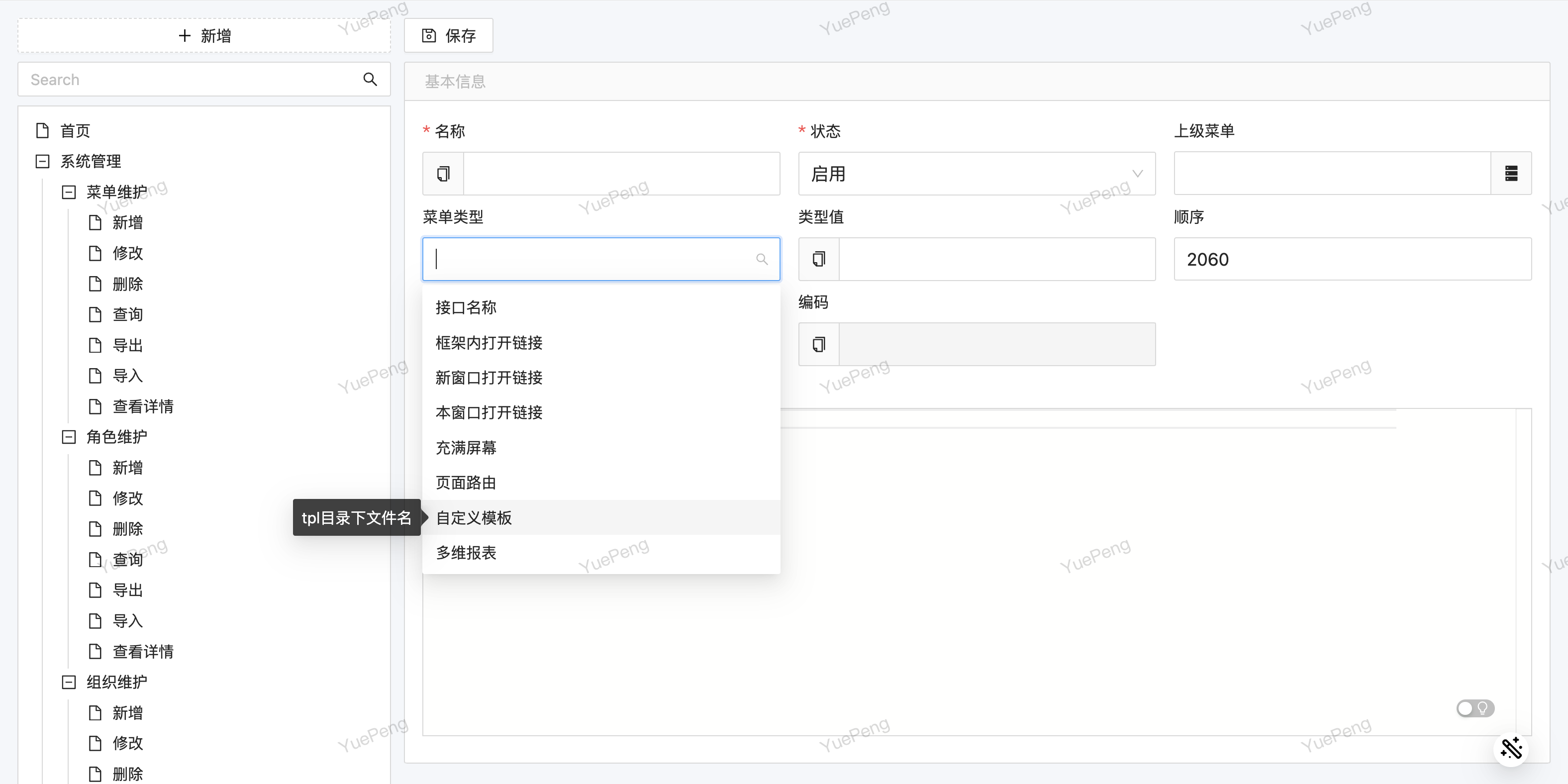
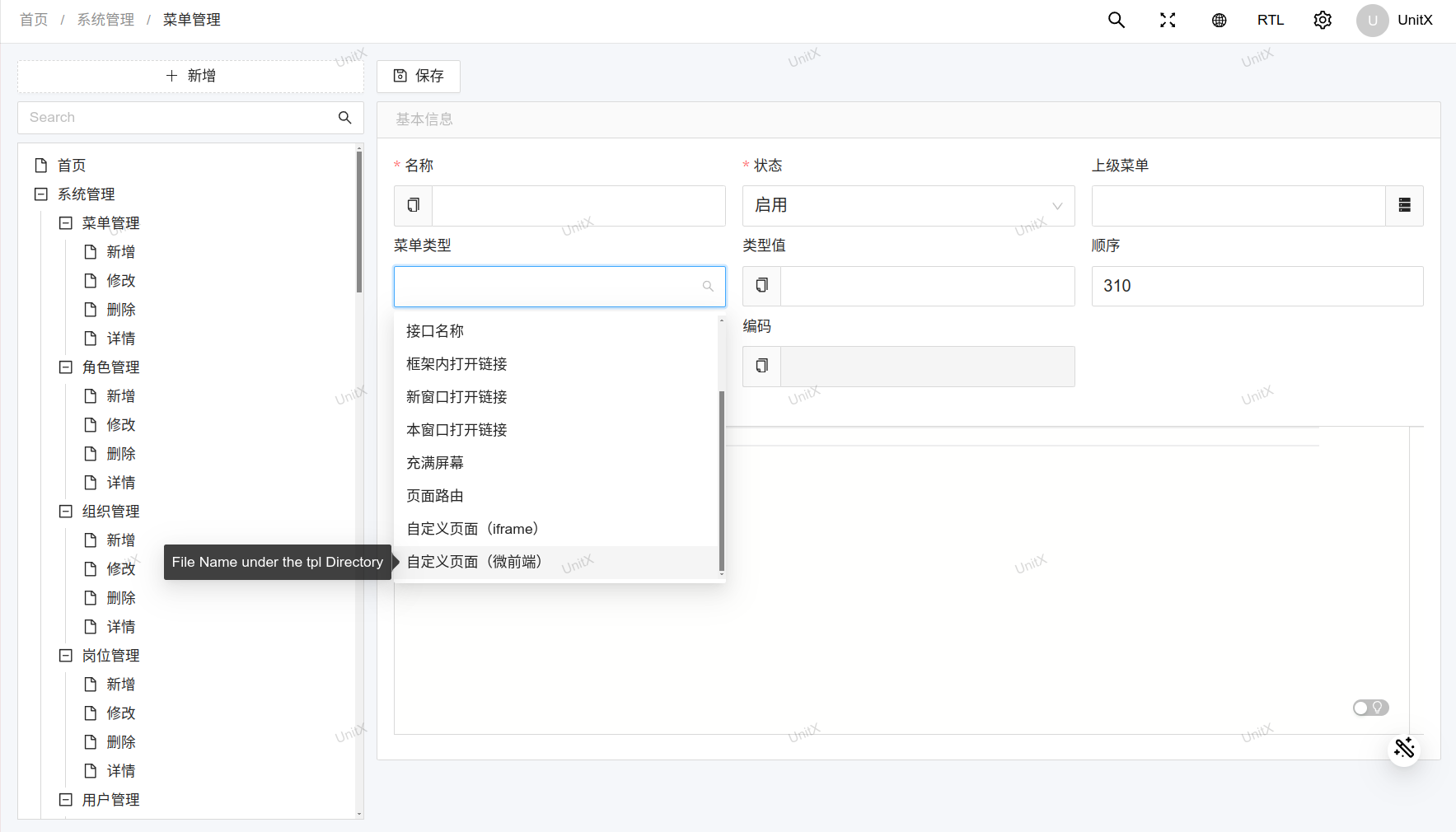
In Menu Management, add a new menu entry, set the type to "Template", and fill in the template filename (without the path prefix) as the type value:
Rendered Result
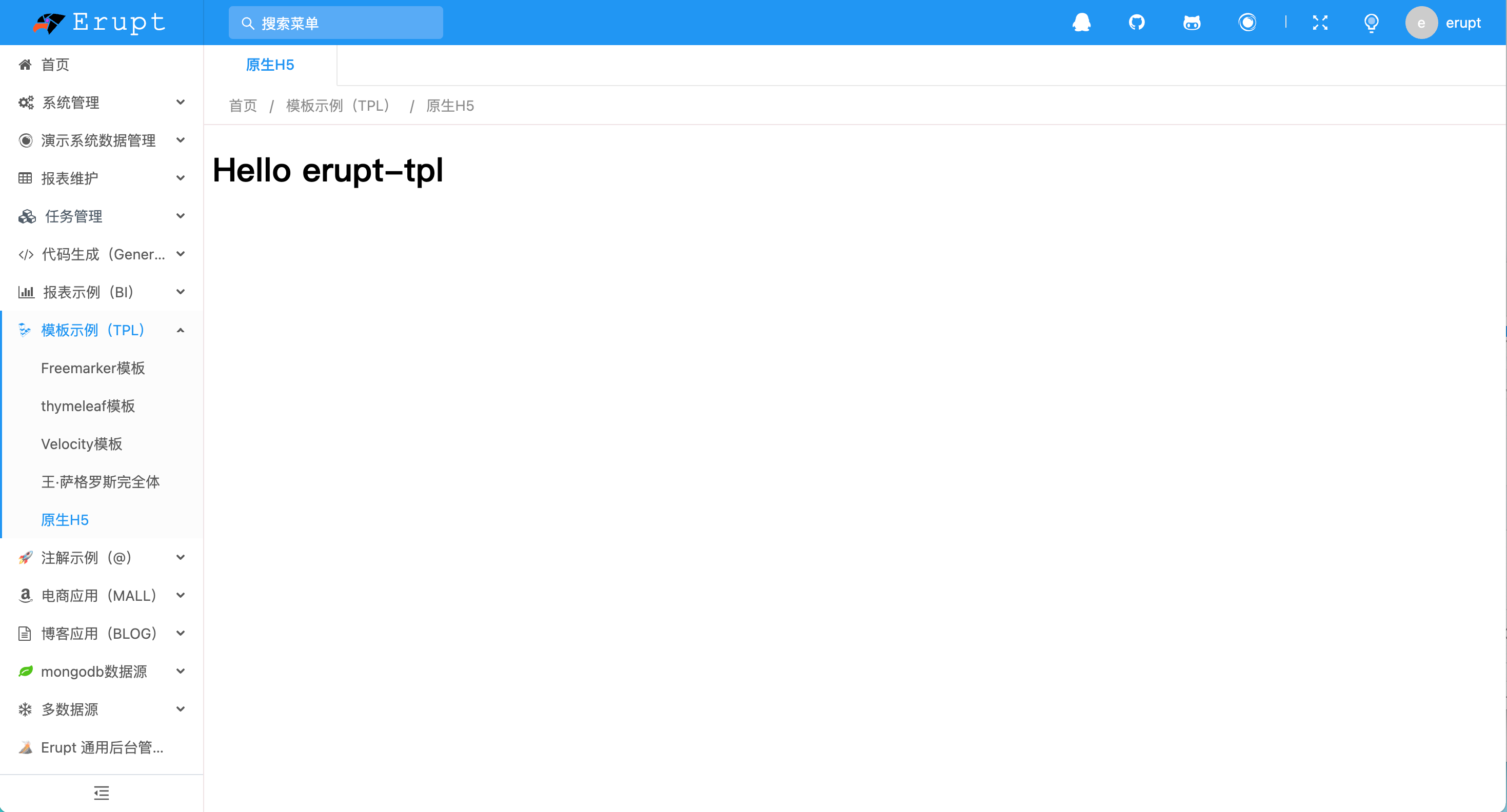
Custom template pages can fully use Erupt's theme styles, seamlessly integrating into the admin interface:
Hot Reload
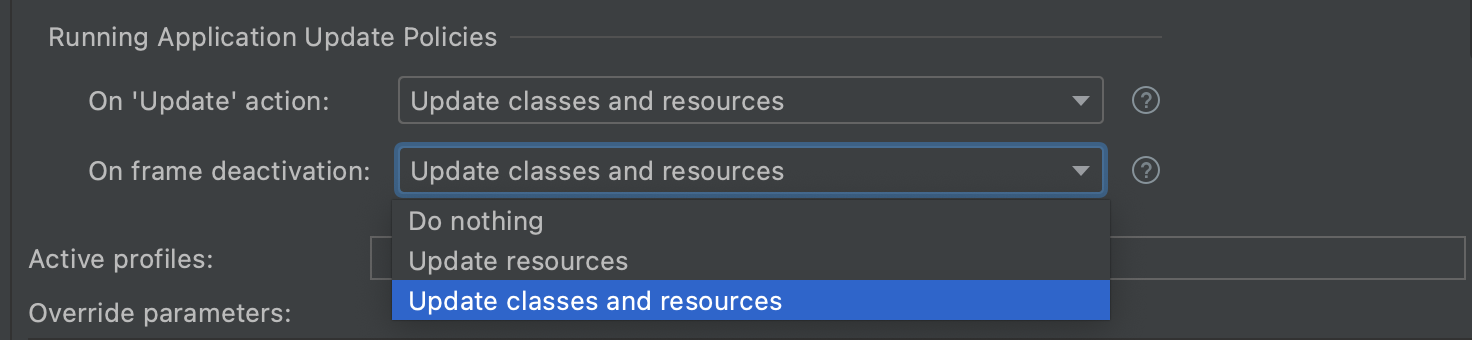
Template files are updated live — no application restart is required. Just refresh the page to see the latest changes:
Freemarker Templates
Create .ftl files inside the resources/tpl directory. You can use pre-injected context variables such as the current user's information:
<!-- resources/tpl/demo.ftl -->
<!DOCTYPE html>
<html>
<head><title>Custom Page</title></head>
<body>
    <h1>Hello, ${user.name}!</h1>
    <p>Current User ID: ${user.id}</p>
</body>
</html>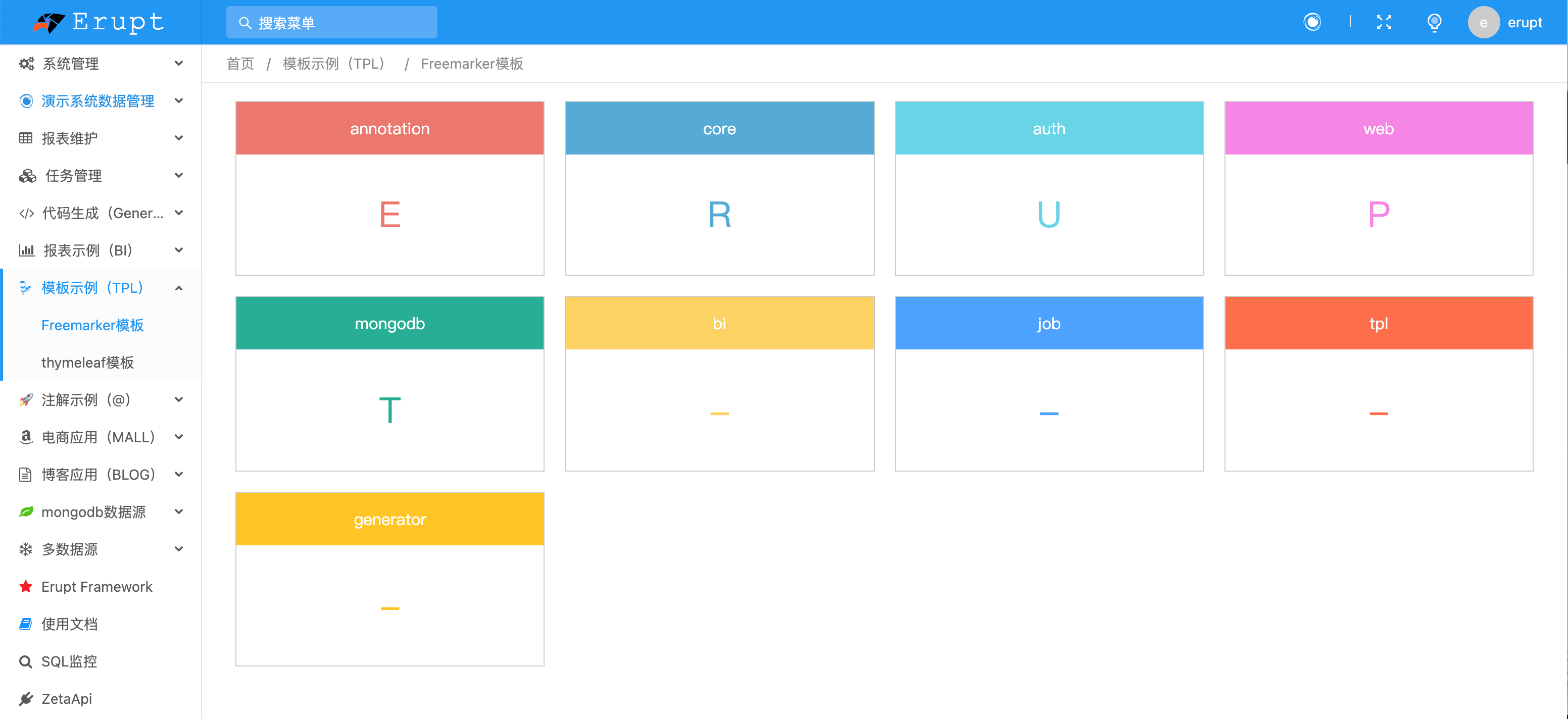
Row Button Embedding
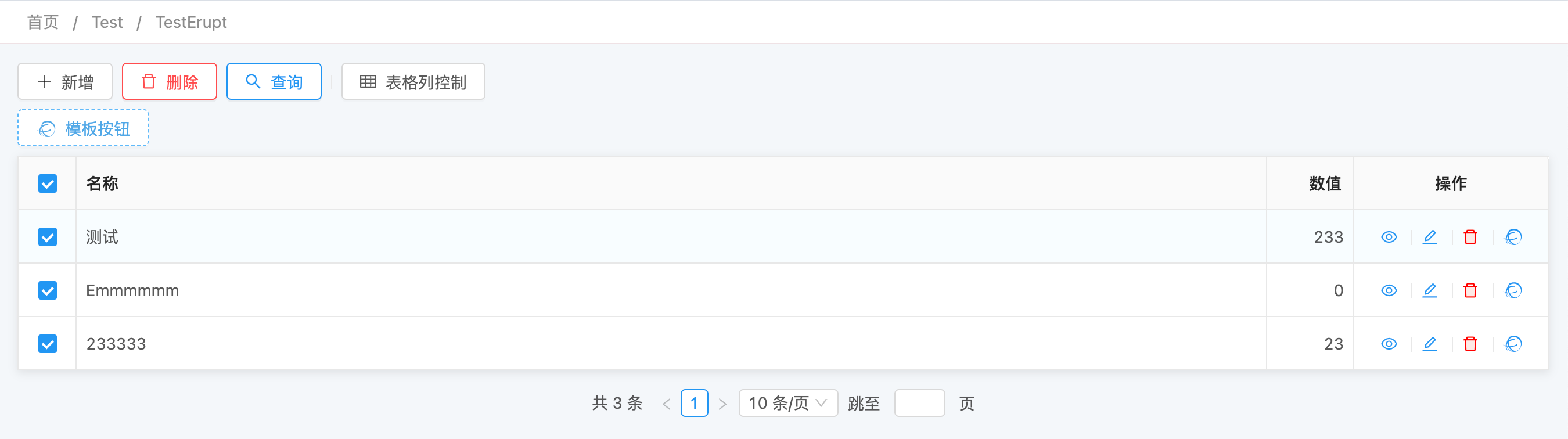
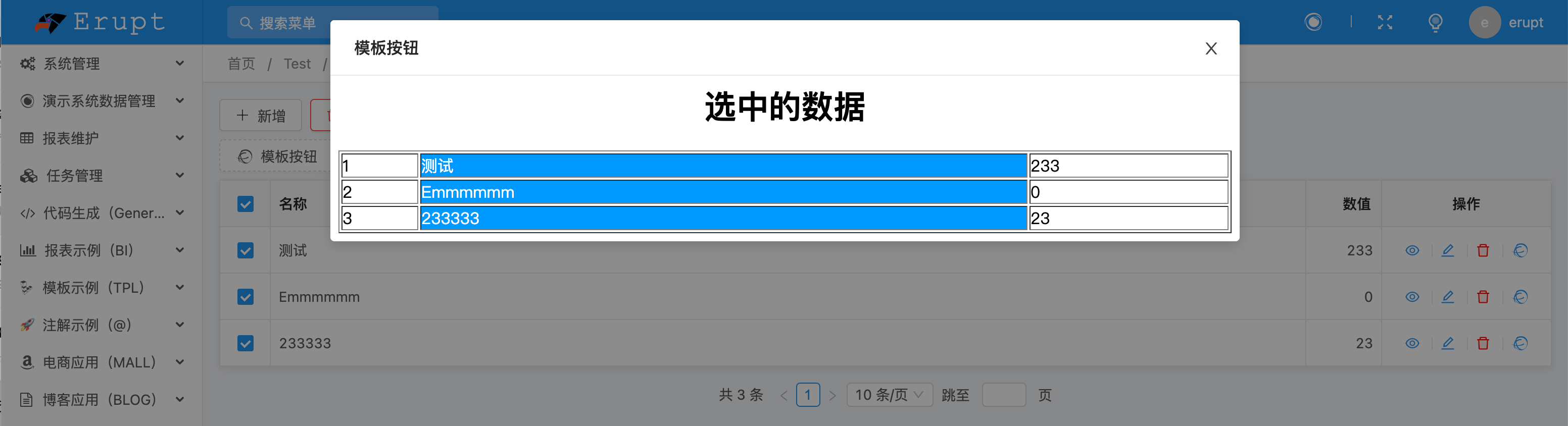
Using the @RowOperation annotation, you can open a custom template page from a row action button in a list view. For full usage details, see TPL Template Dialog.
Two Ways to Embed
Once erupt-tpl is on the classpath, two extra entries appear under Menu Type in menu management. Both point at the same pool of template files; they differ only in how the frontend brings the page in:
| Menu type | Type value | Frontend implementation | Frontend route |
|---|---|---|---|
| Custom Page (Iframe) | tpl | Native iframe | /tpl/<filename> |
| Custom Page (Micro Frontend) | mtpl | Micro-frontend container | /mtpl/<filename> |
For tpl and mtpl the type value is a file name under the tpl directory — no path prefix, no absolute path; the backend resolves it to /tpl/<filename> on the classpath.
Never put a URL in mtpl
The type value of tpl / mtpl becomes a route segment, so the slashes in a URL get chopped up by the router and you land on something like #/tpl/https:. To embed an external system use the built-in upms Link or Micro-frontend Link menu types (see Menu Management), which base64-encode the URL before it enters the route.
Templates must live under resources/tpl/
A type value of demo.html is read from classpath:/tpl/demo.html. A file sitting directly in resources/ will not be found, and the endpoint then returns a fixed <h1 align='center'>404 not found</h1> with HTTP status 200. Nothing shows up in the browser console — the page is simply blank, which makes this hard to diagnose.
Micro-Frontend Integration
The micro-frontend mode does not use an iframe. It fetches the sub-app's HTML, CSS and JS and renders them directly inside the host document. That avoids iframe height and scrollbar problems, switches faster, and blends visually with the admin shell:
The Sub-App Must Be a Complete HTML Document
The micro-frontend container parses the HTML it fetches and requires at least a <head>. A bare fragment will not work:
<!-- Wrong: no head, renders blank -->
<h1>Hello</h1><!-- Correct -->
<!DOCTYPE html>
<html lang="en">
<head>
<meta charset="utf-8">
<title>Custom Page</title>
</head>
<body>
<h1>Hello</h1>
</body>
</html>When this is not met the browser console prints [micro-app] app xxx: element head is missing and the page area stays blank. The iframe mode has no such requirement — fragments render fine.
Sandbox Mode
Erupt always uses micro-app's iframe sandbox: the sub-app's DOM renders inside the host document, while its JavaScript executes in a hidden same-origin iframe that gives it a real, separate JS global.
micro-app's default sandbox is not used because it wraps sub-app scripts in with(proxyWindow){ ... } and runs them in the host window, and a type="module" script cannot be wrapped that way. micro-app's own source says as much: under ESM the proxyWindow does not take effect. A Vite-built sub-app therefore either fails to mount outright (typically with process is not defined in the console) or runs with no isolation at all.
This is not a security boundary
The sandbox iframe must be same-origin with the host for the host to script it, which means the sub-app's JavaScript runs on your admin's origin: its localStorage, sessionStorage and cookies all land under the admin domain, it can read the admin's login credentials, and multiple sub-apps share one storage.
Use the micro frontend only for sub-apps your own team controls. To embed a third-party page use the iframe menu type, where the browser enforces cross-origin isolation.
What It Supports
| Sub-app shape | Micro frontend | Iframe |
|---|---|---|
| Server-rendered template page (Freemarker, Thymeleaf, plain HTML) | Yes | Yes |
| Traditionally bundled SPA (webpack and other non-ESM output) | Yes | Yes |
| Modern SPA built with Vite / ESM output | Yes | Yes |
| Framework with SSR streaming hydration (Next.js, TanStack Start, …) | No | Yes |
| Third-party site you do not control | Do not | Depends on their headers |
With SSR streaming hydration the server HTML and the hydration bootstrap scripts are one unit; the micro frontend extracts the scripts and runs them separately, hydration never completes, and the page structure appears but renders nothing. Those sub-apps must use the iframe.
Container Behaviour
- Keep-alive: switching tabs does not unmount the sub-app; coming back restores it instead of reloading.
- Multiple instances: the container's app name is derived from the sub-app URL, so several micro-frontend menus can be open at once without colliding.
- Visible failures: when a sub-app fails to load an error is shown rather than a blank page.
Which one to pick
If the sub-app is yours, use the micro frontend: height adapts naturally, its dialogs are not clipped by a frame, and switching tabs does not reload it. If the sub-app is not fully trusted, or is an SSR streaming framework, use the iframe.
Erupt TPL UI Component Library
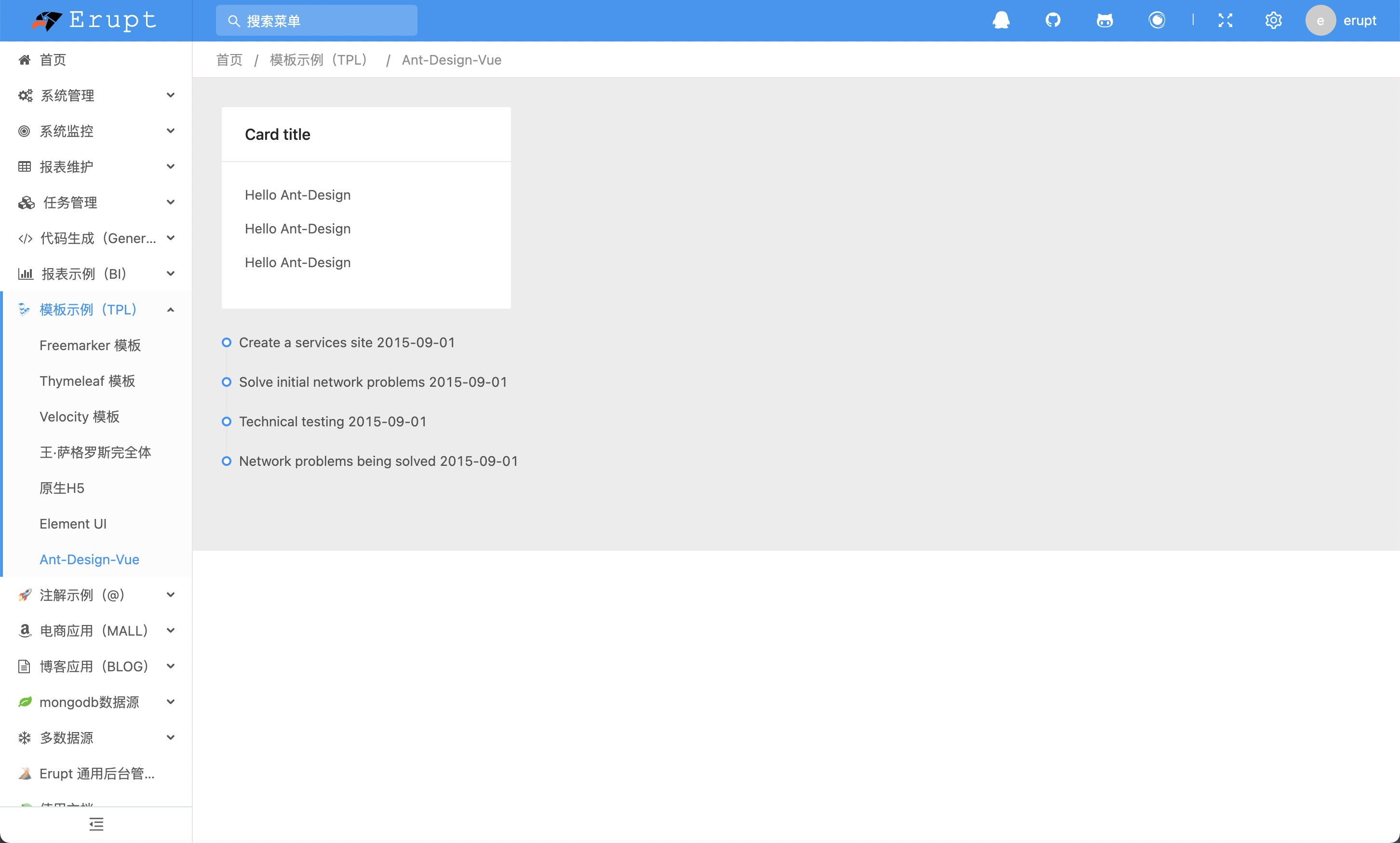
erupt-tpl-ui provides integration solutions for multiple mainstream UI frameworks, so you can use components consistent with Erupt's style directly in your custom pages. There is no aggregate artifact — add the coordinate you need:
<!-- Ant Design Vue -->
<dependency>
  <groupId>xyz.erupt</groupId>
  <artifactId>erupt-tpl-ui.ant-design</artifactId>
  <version>${erupt.version}</version>
</dependency>

<!-- Element UI -->
<dependency>
  <groupId>xyz.erupt</groupId>
  <artifactId>erupt-tpl-ui.element-ui</artifactId>
  <version>${erupt.version}</version>
</dependency>

<!-- Element Plus -->
<dependency>
  <groupId>xyz.erupt</groupId>
  <artifactId>erupt-tpl-ui.element-plus</artifactId>
  <version>${erupt.version}</version>
</dependency>
Ant Design
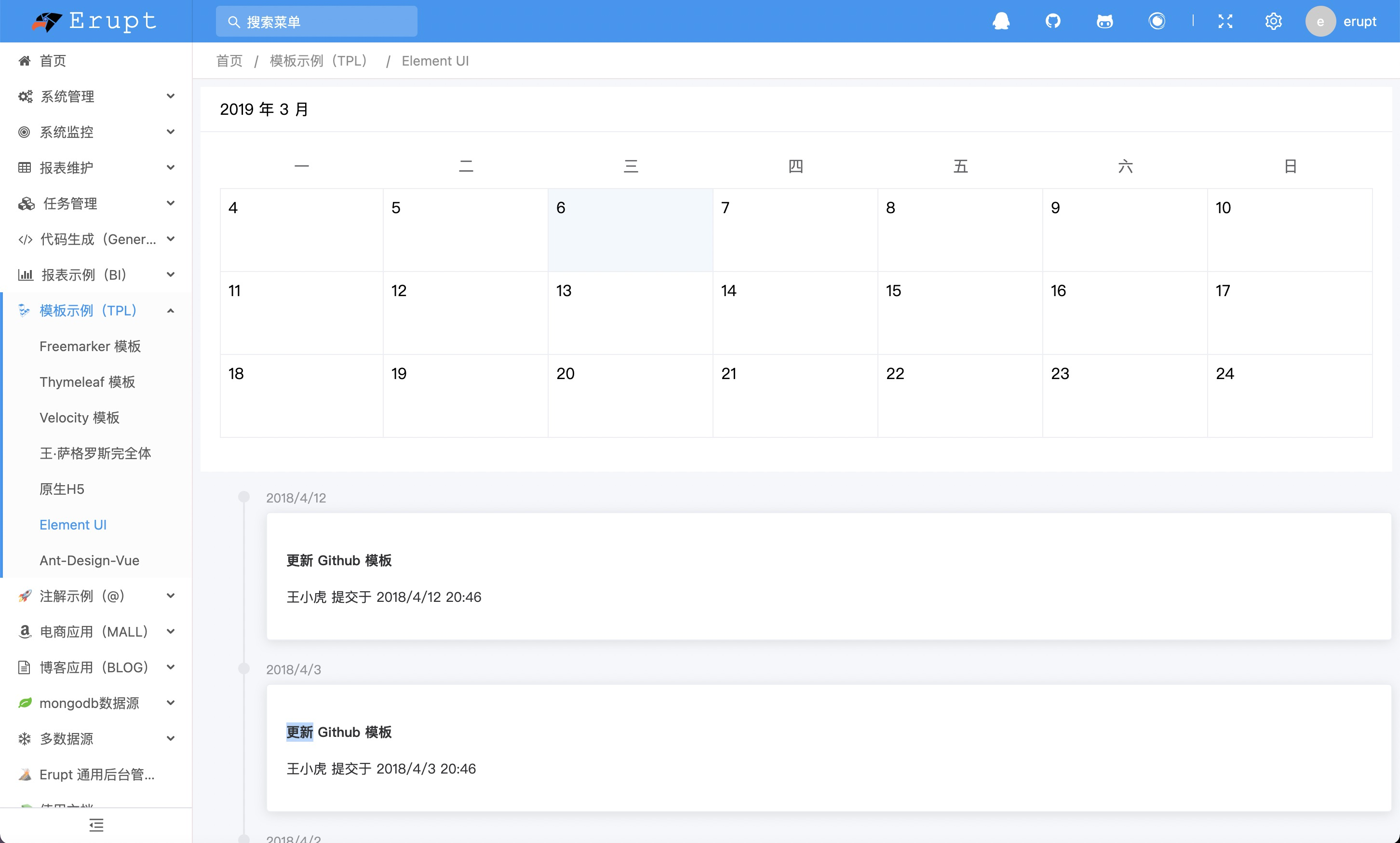
Element UI / Element Plus
Contributors
 YuePeng
 Claude Opus 5 (1M context)