
Step Form formSteps
Supported since: 2.1.1
When a form has many fields, showing every input at once overwhelms users. With formSteps enabled on @Layout, the form is rendered as a step-by-step wizard: fields are grouped into steps filled in sequentially, with a progress bar shown at the top.
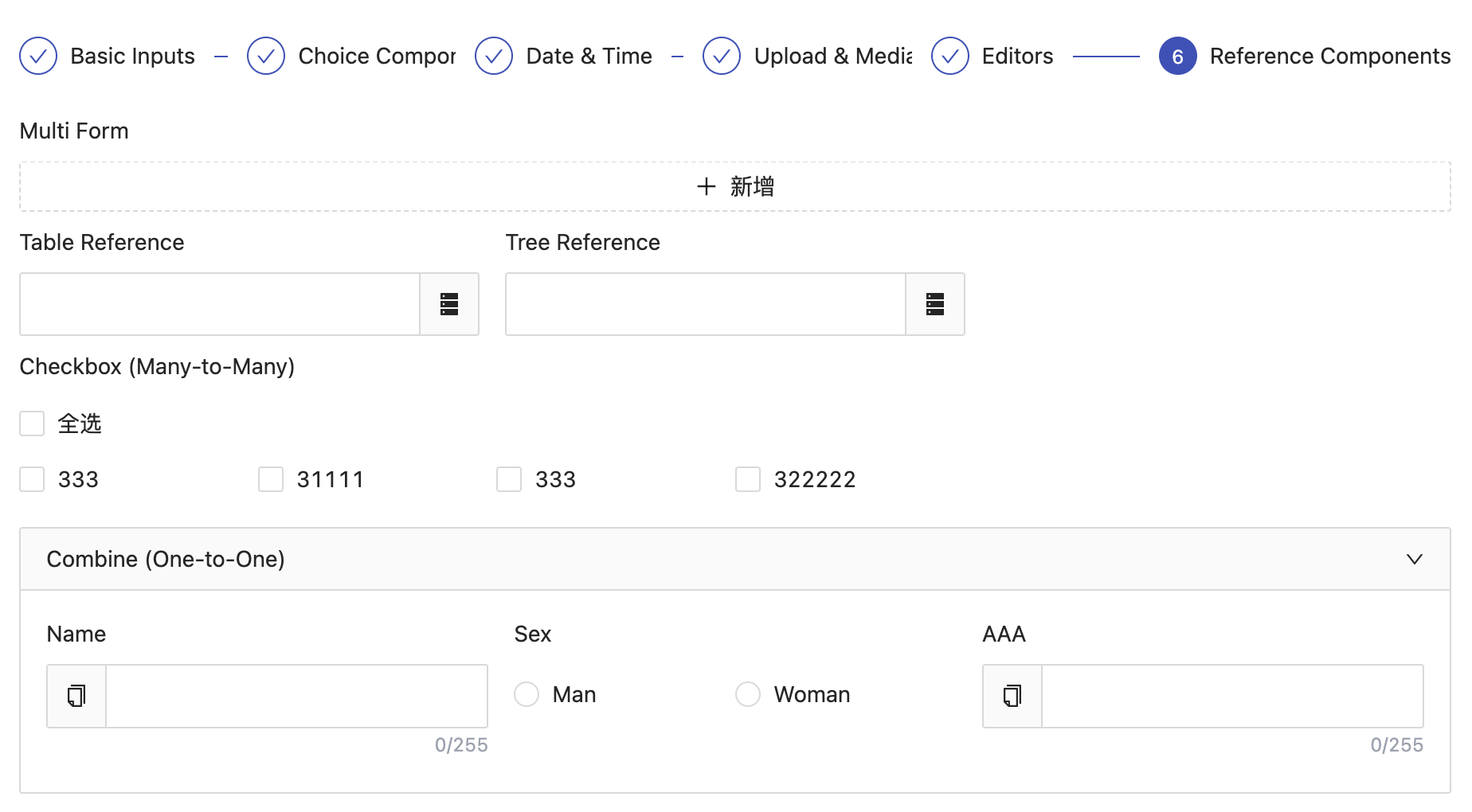
Enabling
java
@Erupt(
    name = "Step Form Example",
    layout = @Layout(formSteps = true)
)
Step Rules
Steps are delimited by DIVIDE fields:
- Each
DIVIDEfield starts a new step - The
DIVIDE'stitlebecomes the step title, and itsdescbecomes the step description - Fields between two
DIVIDEs belong to the preceding step
Full Example
java
@Erupt(
    name = "Onboarding",
    layout = @Layout(formSteps = true)
)
@Entity
@Table(name = "t_employee_entry")
public class EmployeeEntry extends BaseModel {

    @Transient
    @EruptField(edit = @Edit(title = "Basic Info", desc = "Fill in personal details", type = EditType.DIVIDE))
    private String step1;

    @EruptField(views = @View(title = "Name"), edit = @Edit(title = "Name", notNull = true))
    private String name;

    @EruptField(views = @View(title = "Birthday"), edit = @Edit(title = "Birthday"))
    private LocalDate birthday;

    @Transient
    @EruptField(edit = @Edit(title = "Contact", desc = "Fill in contact info", type = EditType.DIVIDE))
    private String step2;

    @EruptField(views = @View(title = "Phone"), edit = @Edit(title = "Phone", notNull = true))
    private String phone;

    @EruptField(views = @View(title = "Email"), edit = @Edit(title = "Email"))
    private String email;

    @Transient
    @EruptField(edit = @Edit(title = "Position", desc = "Fill in job details", type = EditType.DIVIDE))
    private String step3;

    @EruptField(views = @View(title = "Department"), edit = @Edit(title = "Department"))
    private String dept;

    @EruptField(views = @View(title = "Post"), edit = @Edit(title = "Post"))
    private String post;

}
The example above renders three steps: Basic Info → Contact → Position.
TIP
DIVIDEfields only act as step boundaries and store no data — annotate them with@Transientto keep them out of the table schema- Clicking "Next" validates the required fields of the current step; the wizard won't advance until validation passes
- The step header is clickable: jumping backward is free, while jumping forward validates each step passed over
Related
Contributors
 YuePeng
 Claude Opus 5 (1M context)