
Icon Picker ICON v2.3.0+
An icon picker over the full Font Awesome catalogue. The value is stored as a class-name string such as fa fa-house, optionally followed by a color class such as icon-red or icon-primary.
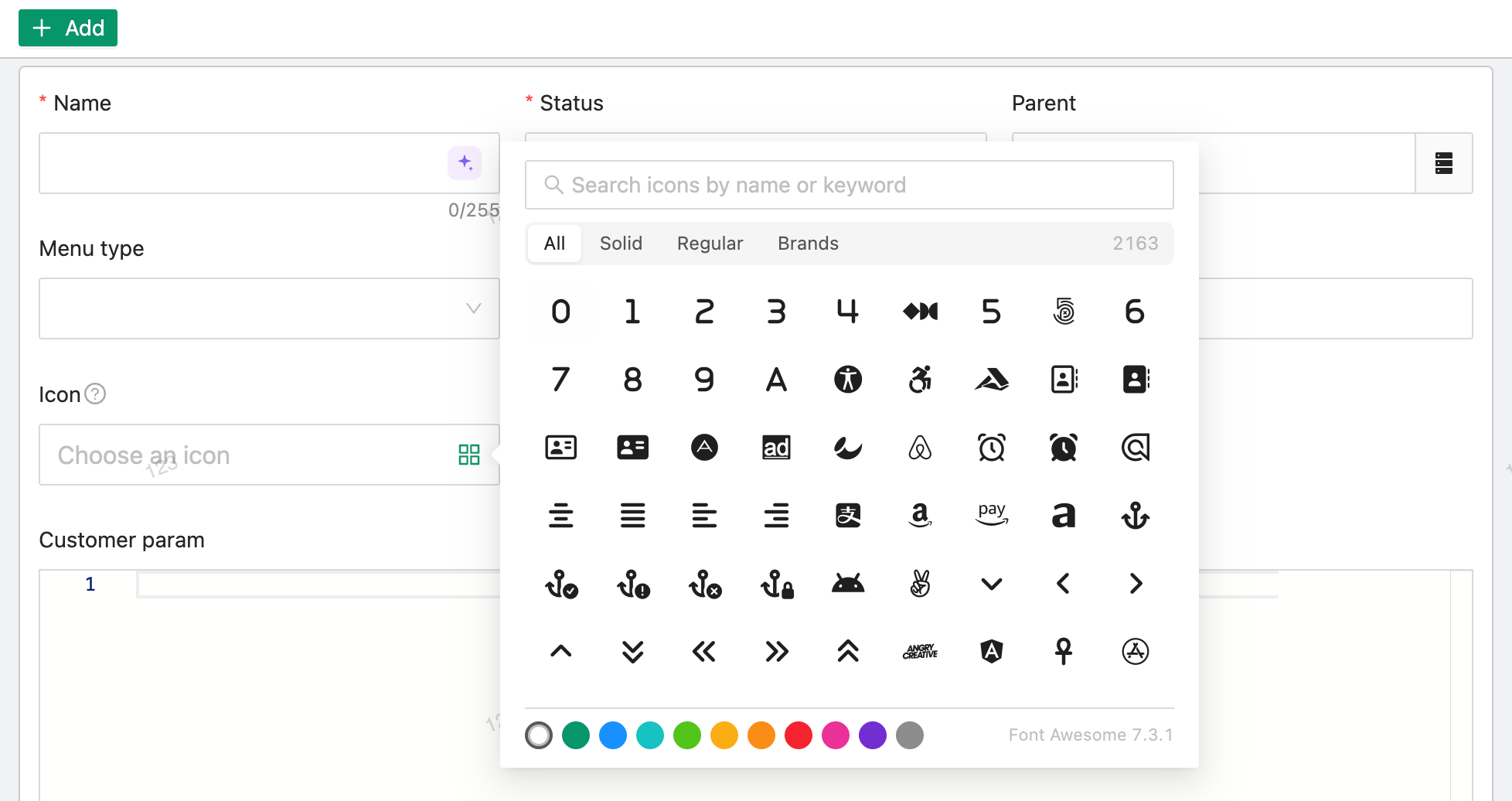
The picker searches icon names, labels and aliases, can be filtered by solid / regular / brands, and loads further batches as you scroll. The stored value is a plain class list that renders anywhere without parsing.
Basic Usage
@EruptField(
    views = @View(title = "Icon"),
    edit = @Edit(title = "Icon", type = EditType.ICON)
)
private String icon;
Configuration
ICON has no dedicated configuration annotation; use the common @Edit attributes (notNull, desc, placeHolder, show, ...) as needed.
| Stored value | Meaning |
|---|---|
fa fa-house | Plain icon class |
fa fa-house icon-red | With a fixed color class |
fa fa-house icon-primary | With the theme color class; the color follows the current theme |
TIP
ICON can be used as a search condition in the search bar and supports inline cell editing in the table (@Edit(inline = true)).
Table Display
When the @View type is AUTO it resolves to ViewType.ICON, so the table column renders the icon itself rather than the class text. Use @View(type = ViewType.TEXT) explicitly if you want to show the raw class name.
Example
Menu icon (from EruptMenu in erupt-upms):
@EruptField(
    views = @View(title = "Icon", width = "70px"),
    edit = @Edit(
        title = "Icon", type = EditType.ICON,
        desc = "Refer to Font Awesome icon library"
    )
)
private String icon;
Contributors
 YuePeng
 Claude Fable 5.1