
Numeric Input NUMBER
Numeric input field. When the field type is Integer, Float, or Double, the type is automatically inferred — no need to explicitly specify type.
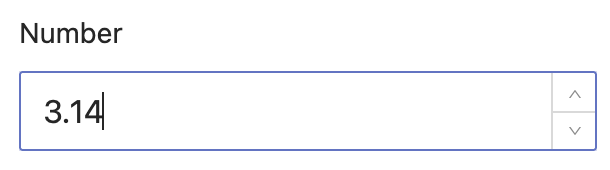
Basic Usage
java
@EruptField(
    edit = @Edit(title = "Number Input", numberType = @NumberType)
)
private Integer number;
Configuration
java
public @interface NumberType {

    long max() default Integer.MAX_VALUE; // Maximum value

    long min() default -Integer.MAX_VALUE; // Minimum value

    // Decimal precision (2.1.1+): -1 keeps the value as typed, 0 forces integer, N keeps N decimals
    int precision() default -1;

    // Step size for the increment/decrement controls and mouse wheel (2.1.1+)
    double step() default 1;

    // Prefix unit shown inside the input, e.g. ¥ / $ (2.1.1+)
    String prefix() default "";

    // Suffix unit shown inside the input, e.g. % / kg / ms (2.1.1+)
    String suffix() default "";

    // Show a thousands separator — display only, does not affect the stored value (2.1.1+)
    boolean thousandsSeparator() default false;

}
Examples
Restrict to positive integers:
java
@EruptField(
    edit = @Edit(title = "Positive Integer", numberType = @NumberType(min = 0))
)
private Integer number;
Floating-point input:
java
@EruptField(
    edit = @Edit(title = "Float", numberType = @NumberType)
)
private Float number;
Currency input (2.1.1+):
java
@EruptField(
    edit = @Edit(title = "Amount", numberType = @NumberType(
        min = 0, precision = 2, prefix = "¥", thousandsSeparator = true))
)
private Double amount;
Contributors
 YuePeng
 Claude Opus 5 (1M context)