
Database Support
"Wherever the data lives, the admin lives too" — one set of @Erupt annotations manages relational databases, NoSQL, REST APIs, files, object storage and even SaaS tables.
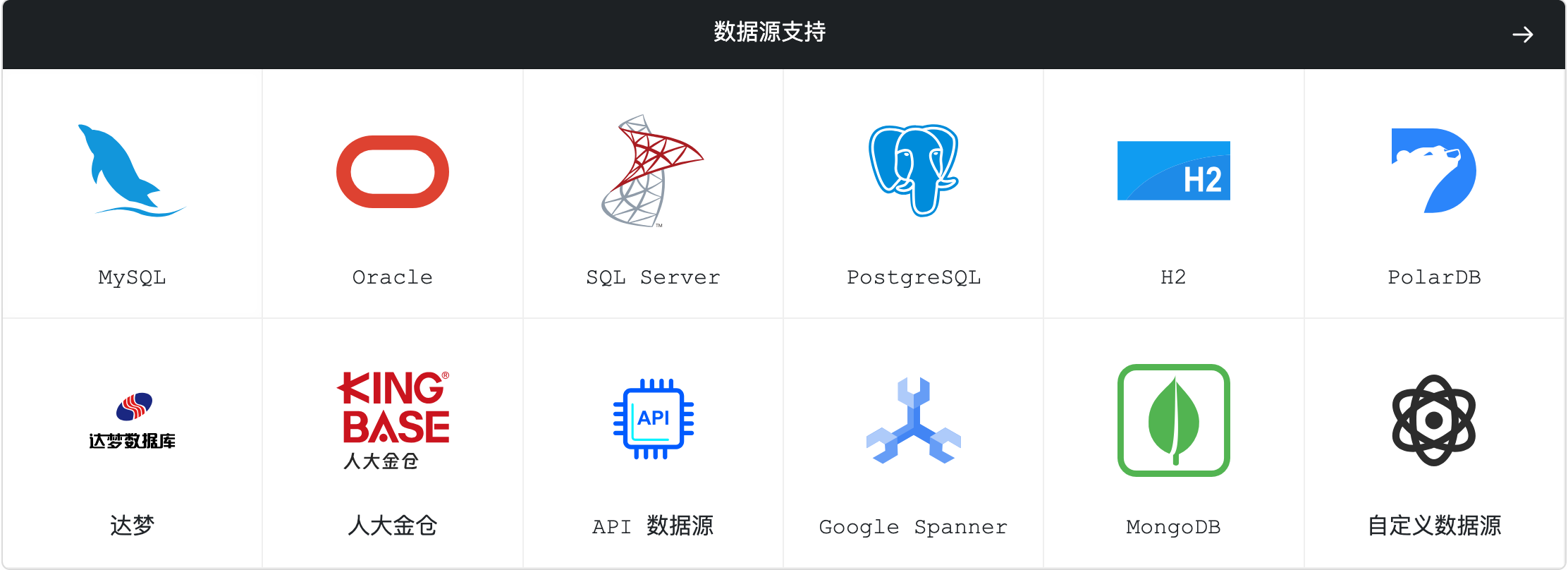
Data access comes in three layers; pick what you need:
| Layer | When to use it | How |
|---|---|---|
| Relational (JPA) | Most business systems | Add erupt-data-jpa and configure the connection as below — the bulk of this page |
| Data connectors | MongoDB, ES, Redis, REST APIs, files, K8s, S3… | Add the matching erupt-data-* module |
| Custom data source | A private protocol or internal service none of the above covers | Implement IEruptDataService or extend EruptBeanDataService |
Note: Import the corresponding JDBC driver dependency before using a relational database.
The snippets below are minimal templates — adjust the values to your environment. The configuration for each database in application.yml is as follows.
About dialects
Erupt 2.x runs on Spring Boot 3.5.16, which brings Hibernate 6.6. Hibernate 6 auto-detects the database dialect from JDBC metadata at startup, so you normally do not need to set spring.jpa.database-platform at all — none of Erupt's own configurations (erupt-sample, erupt-test, erupt-docker) declare it.
Only set it explicitly when auto-detection picks the wrong dialect or you want to pin a specific implementation, and only use class names that actually exist in Hibernate 6 (see the dialect reference below). Hibernate 3/4/5-era classes such as MySQL5InnoDBDialect, Oracle10gDialect, SQLServer2008Dialect and PostgreSQL9Dialect were removed in Hibernate 6 — configuring them throws ClassNotFoundException on startup.
MySQL
spring:
  datasource:
    url: jdbc:mysql://127.0.0.1:3306/erupt
    username: root
    password: 123456
  jpa:
    show-sql: true
    generate-ddl: true
    database: mysql
Oracle
spring:
  datasource:
    url: jdbc:oracle:thin:@//127.0.0.1:1521/erupt
    username: sys
    password: 123456
  jpa:
    show-sql: true
    generate-ddl: true
    database: oracle
SQL Server
spring:
  datasource:
    url: jdbc:sqlserver://127.0.0.1:1443;database=erupt
    username: sa
    password: 123456
  jpa:
    show-sql: true
    generate-ddl: true
    database: sql_server
PostgreSQL
spring:
  datasource:
    url: jdbc:postgresql://127.0.0.1:5432/erupt
    username: postgres
    password: 123456
  jpa:
    show-sql: true
    generate-ddl: true
    database: postgresql
H2
spring:
  datasource:
    url: jdbc:h2:file:./erupt;AUTO_SERVER=TRUE
    platform: h2
    username: sa
    password:
    driverClassName: org.h2.Driver
  jpa:
    show-sql: true
    generate-ddl: true
    database: h2
DB2
spring:
  datasource:
    url: jdbc:db2://127.0.0.1:50000/erupt
    username: admin
    password: 123456
  jpa:
    show-sql: true
    generate-ddl: true
    database: db2
Dameng (DM)
spring:
  datasource:
    url: jdbc:dm://127.0.0.1:6236/erupt
    username: SYSDBA
    password: SYSDBA
  jpa:
    show-sql: true
    generate-ddl: true
database-platform: org.hibernate.dialect.DmDialect<dependency>
<groupId>com.dameng</groupId>
<artifactId>DmJdbcDriver18</artifactId>
<version>8.1.3.140</version>
</dependency>
<!-- The DM dialect is published by Dameng; the artifactId suffix must match the Hibernate version Erupt uses (6.6).
If Erupt bumps its Hibernate version, look up the matching artifact at https://central.sonatype.com/search?q=DmDialect-for-hibernate&smo=true -->
<dependency>
<groupId>com.dameng</groupId>
<artifactId>DmDialect-for-hibernate6.2</artifactId>
<version>8.1.2.192</version>
</dependency>Data Connectors
Everything beyond relational databases is reached through the erupt-data connector layer: one data source interface, and the same annotated model gets CRUD, paging and search — with tables, forms, permissions and export behaving exactly as they do for a JPA model.
| Module | artifactId | What it connects |
|---|---|---|
| erupt-jpa | erupt-data-jpa | Relational databases — the default for most projects |
| erupt-mongodb | erupt-data-mongodb | MongoDB documents |
| erupt-jdbc | erupt-data-jdbc | Plain JDBC single-table access with no JPA mapping — ClickHouse, Doris, TDengine, Dameng… |
| erupt-http | erupt-data-http | A REST API as a data source: any HTTP service becomes a managed table |
| erupt-es | erupt-data-es | Elasticsearch indices and full-text search |
| erupt-redis | erupt-data-redis | Redis key-value data |
| erupt-memory | erupt-data-memory | In-memory data, no database required |
| erupt-file | erupt-data-file | Files as tables — CSV, JSONL, TSV, INI… |
| erupt-k8s | erupt-data-k8s | Kubernetes cluster resources |
| erupt-ldap | erupt-data-ldap | LDAP / Active Directory entries |
| erupt-feishu | erupt-data-feishu | Feishu Bitable |
| erupt-notion | erupt-data-notion | Notion databases |
| erupt-s3 | erupt-data-s3 | S3-compatible object storage |
Several connectors can coexist in one project; each @Erupt model belongs to its own data source without affecting the others.
Know the limits
Non-JPA sources inherit their protocol's limits: file and REST sources have no transactions, Redis and memory sources cannot do complex joins. Each module's page lists the query and write capabilities it actually supports.
Custom Data Source
When none of the modules fit, implement your own to reach a private protocol or an internal service:
IEruptDataService— the full interface: querying, paging, drill-down and writes are all yours to implement, and nothing is off limitsEruptBeanDataService— implement a singledata()method returning the rows; condition evaluation, sorting, paging and drill-down come from the base class. For any source that can only hand you whole rows (files, REST, SaaS tables, directory services, object storage), this is the one to use.
Register the implementation with DataProcessorManager.register(...) and point a model at it with @EruptDataProcessor. Full walkthrough: Custom Data Source (EruptDataService).
Other Databases
Relational data management in Erupt is powered by Hibernate, which supports many more databases. The ones listed above are tested in production; others should work in principle.
Dialect Reference
WARNING
Once more: in almost every case you should not configure a dialect at all — Hibernate 6 detects it automatically. The table below is only for the rare cases where an explicit dialect is required.
Dialects Bundled with Hibernate 6.6
These ship in hibernate-core (package org.hibernate.dialect) and are available out of the box with Erupt:
| RDBMS | Dialect class | Minimum DB version |
|---|---|---|
| MySQL | org.hibernate.dialect.MySQLDialect | 8.0 |
| MariaDB | org.hibernate.dialect.MariaDBDialect | 10.4 |
| TiDB | org.hibernate.dialect.TiDBDialect | 5.4 |
| PostgreSQL | org.hibernate.dialect.PostgreSQLDialect | 12.0 |
| EDB Postgres Plus | org.hibernate.dialect.PostgresPlusDialect | 12.0 |
| CockroachDB | org.hibernate.dialect.CockroachDialect | 22.2 |
| Oracle | org.hibernate.dialect.OracleDialect | 19.0 |
| Microsoft SQL Server | org.hibernate.dialect.SQLServerDialect | 11.0 |
| Azure SQL | org.hibernate.dialect.AzureSQLServerDialect | 11.0 |
| DB2 | org.hibernate.dialect.DB2Dialect | 10.5 |
| DB2 for IBM i | org.hibernate.dialect.DB2iDialect | 7.1 |
| DB2 for z/OS | org.hibernate.dialect.DB2zDialect | 12.1 |
| H2 | org.hibernate.dialect.H2Dialect | 2.1.214 |
| HSQLDB | org.hibernate.dialect.HSQLDialect | 2.6.1 |
| Apache Derby | org.hibernate.dialect.DerbyDialect | 10.15.2 |
| SAP HANA | org.hibernate.dialect.HANADialect | — |
| Sybase | org.hibernate.dialect.SybaseDialect | 16.0 |
| Sybase ASE | org.hibernate.dialect.SybaseASEDialect | 16.0 |
| Google Spanner | org.hibernate.dialect.SpannerDialect | — |
Community Dialects
Hibernate 6 moved the dialects that are no longer maintained by the Hibernate team out of hibernate-core into a separate org.hibernate.orm:hibernate-community-dialects artifact (package org.hibernate.community.dialect). Databases such as SQLite, Firebird, Informix, Ingres, CUBRID, Altibase, MimerSQL, Teradata, TimesTen, SingleStore and Sybase Anywhere need this extra dependency:
<dependency>
  <groupId>org.hibernate.orm</groupId>
  <artifactId>hibernate-community-dialects</artifactId>
</dependency>
The version is managed by Spring Boot's dependency management — do not pin it manually.
DANGER
The following Hibernate 3/4/5-era class names no longer exist in Hibernate 6 and will throw ClassNotFoundException at startup: MySQL5InnoDBDialect, MySQLInnoDBDialect, MySQLMyISAMDialect, Oracle9Dialect, Oracle10gDialect, SQLServer2008Dialect, PostgreSQL9Dialect, DB2390Dialect, SAPDBDialect, MckoiDialect, InterbaseDialect, PointbaseDialect, FrontbaseDialect, ProgressDialect.
The authoritative, complete list lives in the Hibernate docs: https://docs.hibernate.org/orm/6.6/dialect/
Contributors
 YuePeng
 Claude Opus 5 (1M context)